> ## Documentation Index
> Fetch the complete documentation index at: https://docs.scanova.io/llms.txt
> Use this file to discover all available pages before exploring further.
# Deleting your account
> What happens when you delete a Scanova account, step by step: what gets removed, what stops resolving, and what you should export before you begin at all.
**Delete Account**, in red at the bottom of the profile card on the [Account tab](/account/profile-and-appearance), permanently removes your Scanova account. The flow asks why you're leaving, shows a retention screen tailored to that reason, and ends with a password-confirmed final step. Deletion is immediate once confirmed and can't be undone.
There is no recovery once you complete this flow. Everything below documents the steps so you know what to expect — back out with **Cancel** at any point if you're not sure.
## Selecting a reason
Click **Delete Account** to open the **Delete Account** drawer. **Select a reason** is required before you can continue; an optional **Additional comments** box lets you add detail.
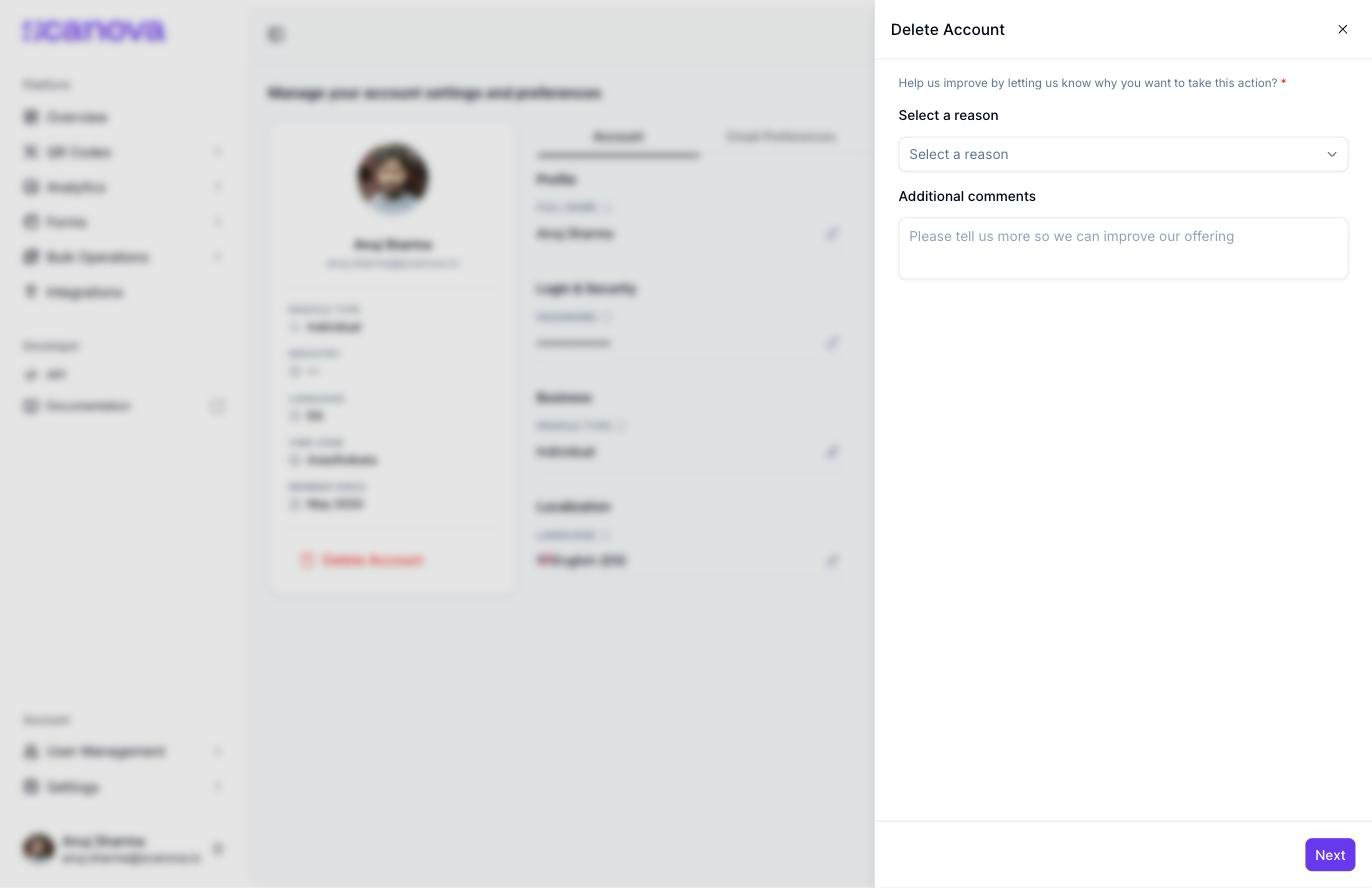 The dropdown offers six reasons:
* Product is complicated/not working as expected
* Didn't get the results I hoped for with QR Codes
* Plans are too expensive
* Found a better alternative
* No longer required and want to delete my data
* Other (please specify below)
Click **Next** to continue to the retention screen for your chosen reason.
## The retention screen
Which screen appears next depends on the reason you picked:
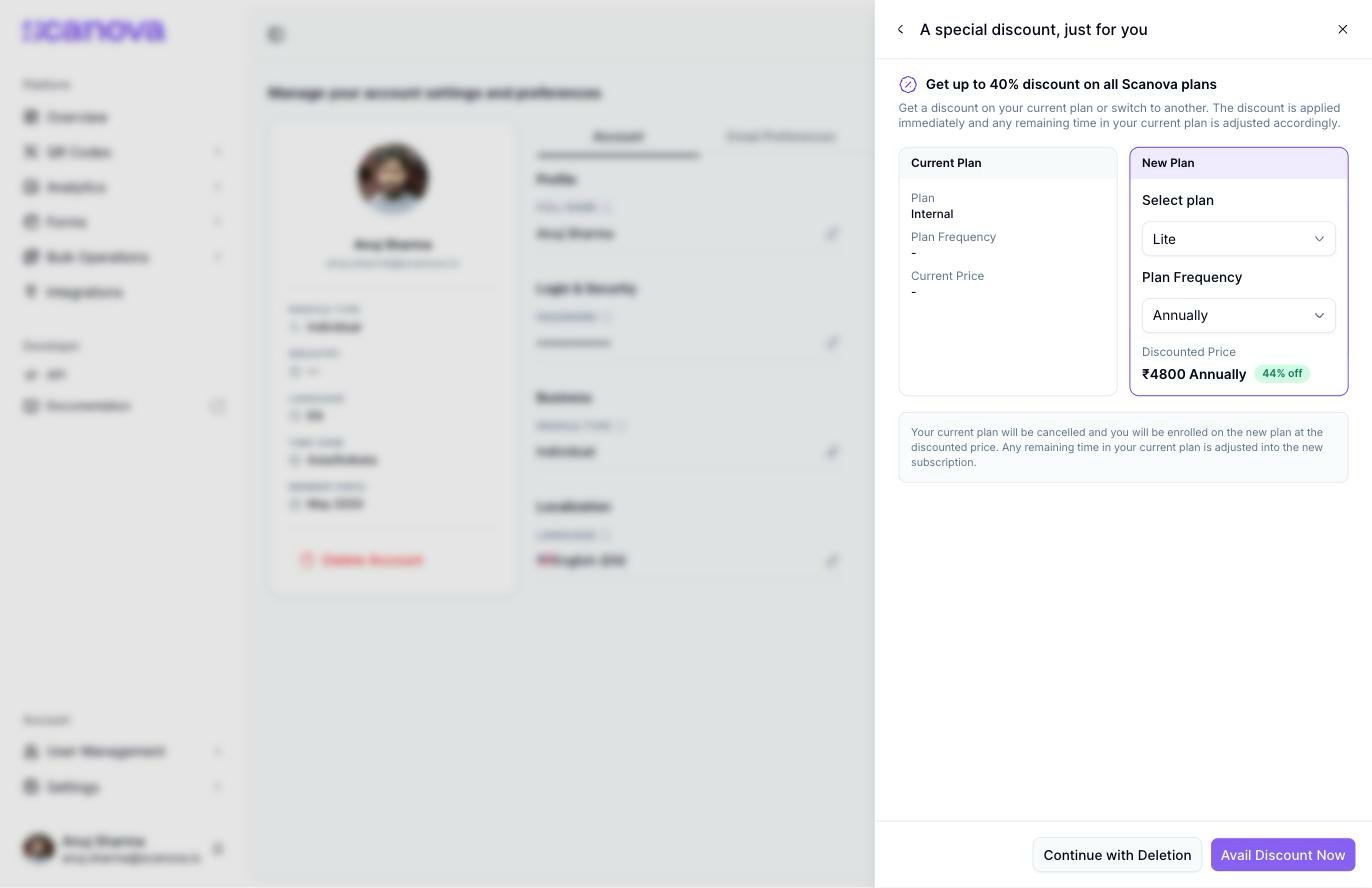
* **Plans are too expensive** shows **A special discount, just for you** — a plan/billing-frequency selector offering up to 40% off, with **Avail Discount Now** (switches your plan instead of deleting) and **Continue with Deletion** buttons
The dropdown offers six reasons:
* Product is complicated/not working as expected
* Didn't get the results I hoped for with QR Codes
* Plans are too expensive
* Found a better alternative
* No longer required and want to delete my data
* Other (please specify below)
Click **Next** to continue to the retention screen for your chosen reason.
## The retention screen
Which screen appears next depends on the reason you picked:
* **Plans are too expensive** shows **A special discount, just for you** — a plan/billing-frequency selector offering up to 40% off, with **Avail Discount Now** (switches your plan instead of deleting) and **Continue with Deletion** buttons
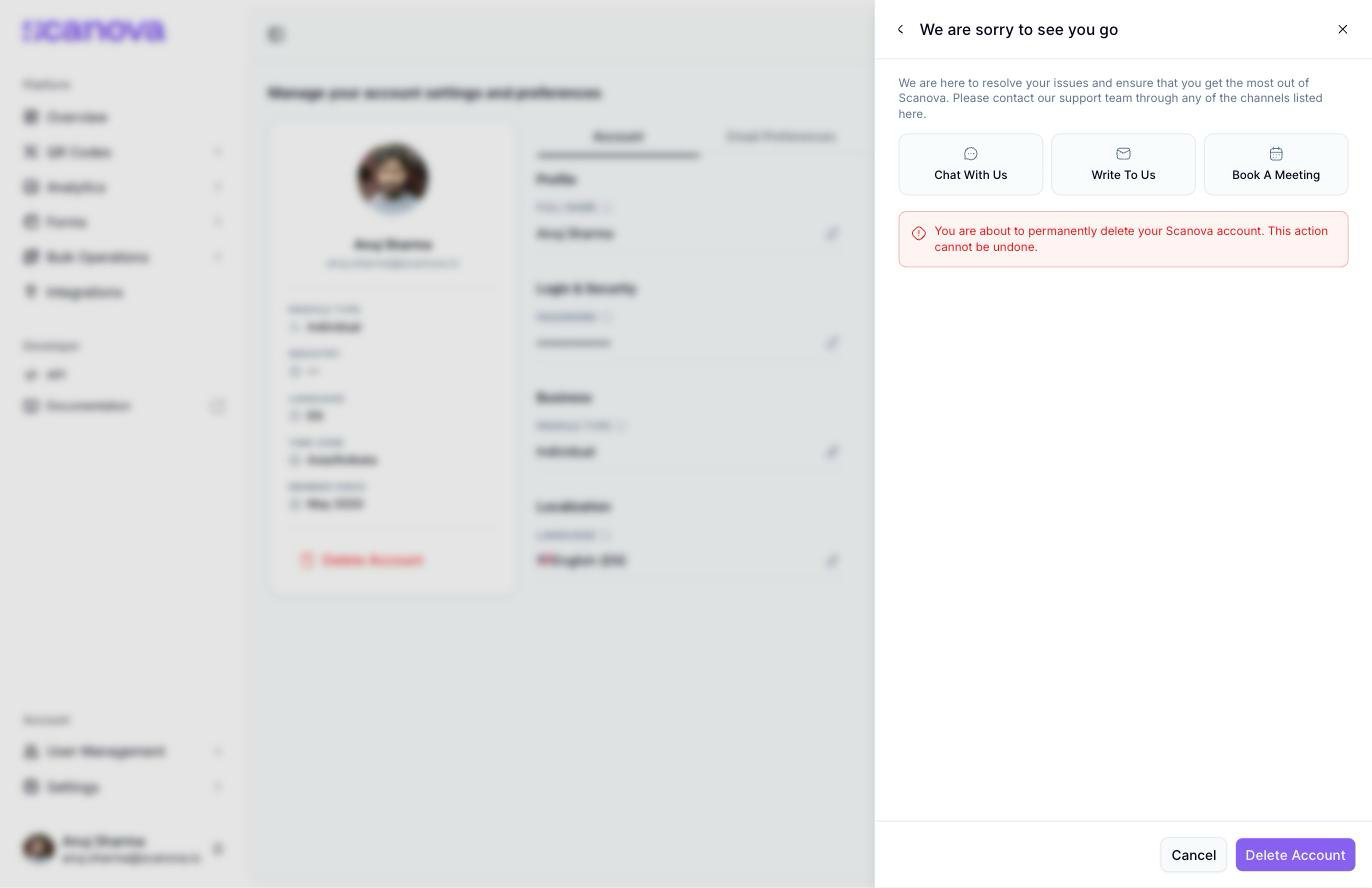
 * Every other reason (confirmed for "Product is complicated/not working as expected" and "No longer required and want to delete my data") shows **We are sorry to see you go** instead — a reminder of what you'd lose (Dynamic QR Codes, Custom QR Codes, QR Code Tracking & Analytics, Lead Generation, High-resolution QR Codes, Mobile Landing Page Design, with an **Explore All Features** link), a data-security assurance (ISO 27001:2013, GDPR, and SOC 2 compliance), a red warning that the deletion is permanent and can't be undone, and **Cancel** / **Delete Account** buttons
 ## Confirming deletion
Proceeding from either retention screen (**Continue with Deletion**, or **Delete Account**) reaches the final **Confirm account deletion** step: an acknowledgement checkbox and a **Current Password** field. **Confirm Delete** stays disabled until both are filled in.
## Confirming deletion
Proceeding from either retention screen (**Continue with Deletion**, or **Delete Account**) reaches the final **Confirm account deletion** step: an acknowledgement checkbox and a **Current Password** field. **Confirm Delete** stays disabled until both are filled in.
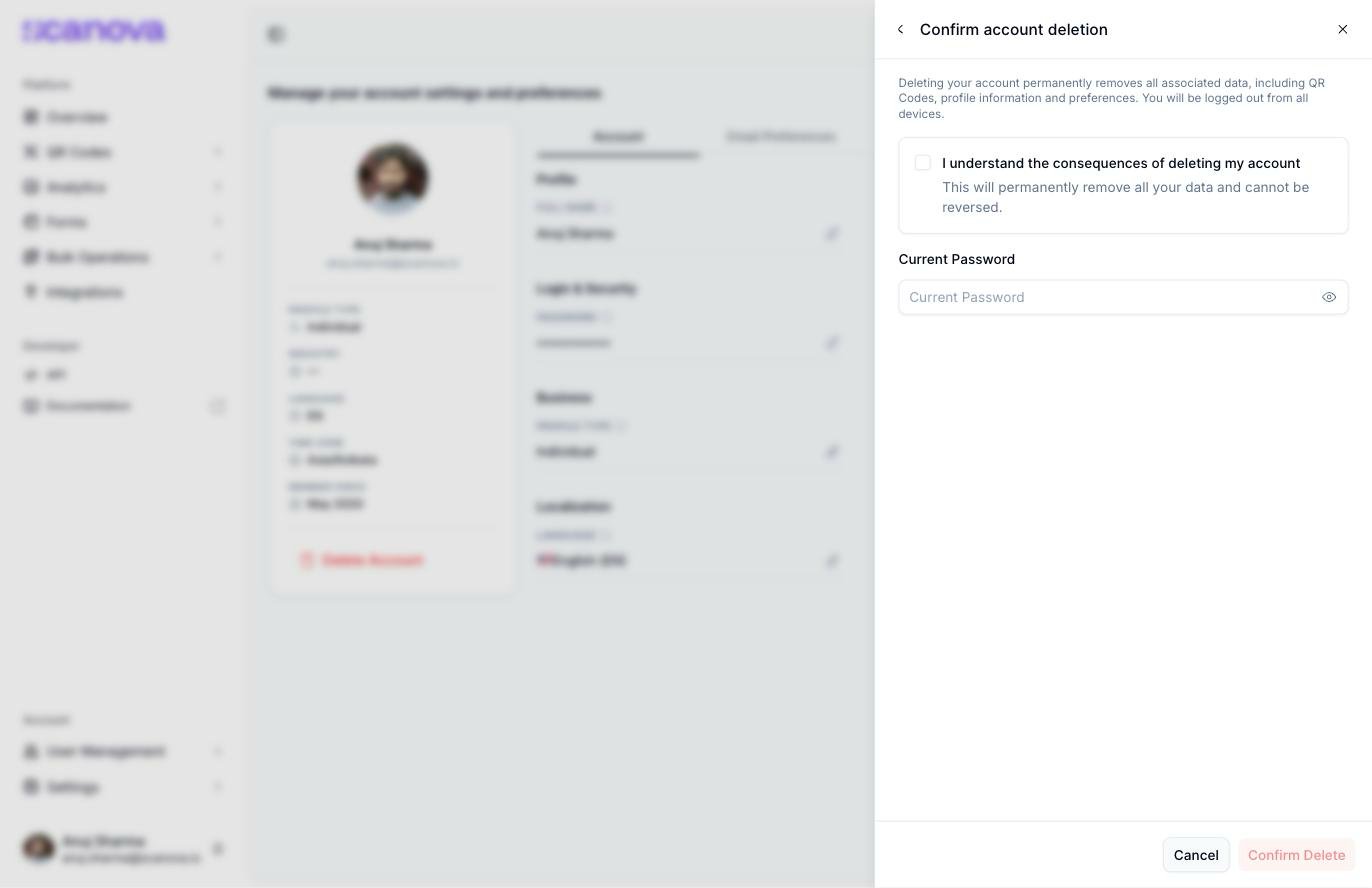 Clicking **Confirm Delete** here deletes your account immediately, with no further confirmation. Use **Cancel** on this or any earlier screen to back out safely — canceling returns you to the Account page with nothing changed.
## Related
* [Profile & appearance](/account/profile-and-appearance) — where the **Delete Account** link lives, alongside the rest of your account settings
* [Subscription & billing](/billing/subscription-and-billing) — manage or downgrade your plan without deleting your account
Clicking **Confirm Delete** here deletes your account immediately, with no further confirmation. Use **Cancel** on this or any earlier screen to back out safely — canceling returns you to the Account page with nothing changed.
## Related
* [Profile & appearance](/account/profile-and-appearance) — where the **Delete Account** link lives, alongside the rest of your account settings
* [Subscription & billing](/billing/subscription-and-billing) — manage or downgrade your plan without deleting your account