> ## Documentation Index
> Fetch the complete documentation index at: https://docs.scanova.io/llms.txt
> Use this file to discover all available pages before exploring further.
# Email preferences
> Controlling which emails you receive.
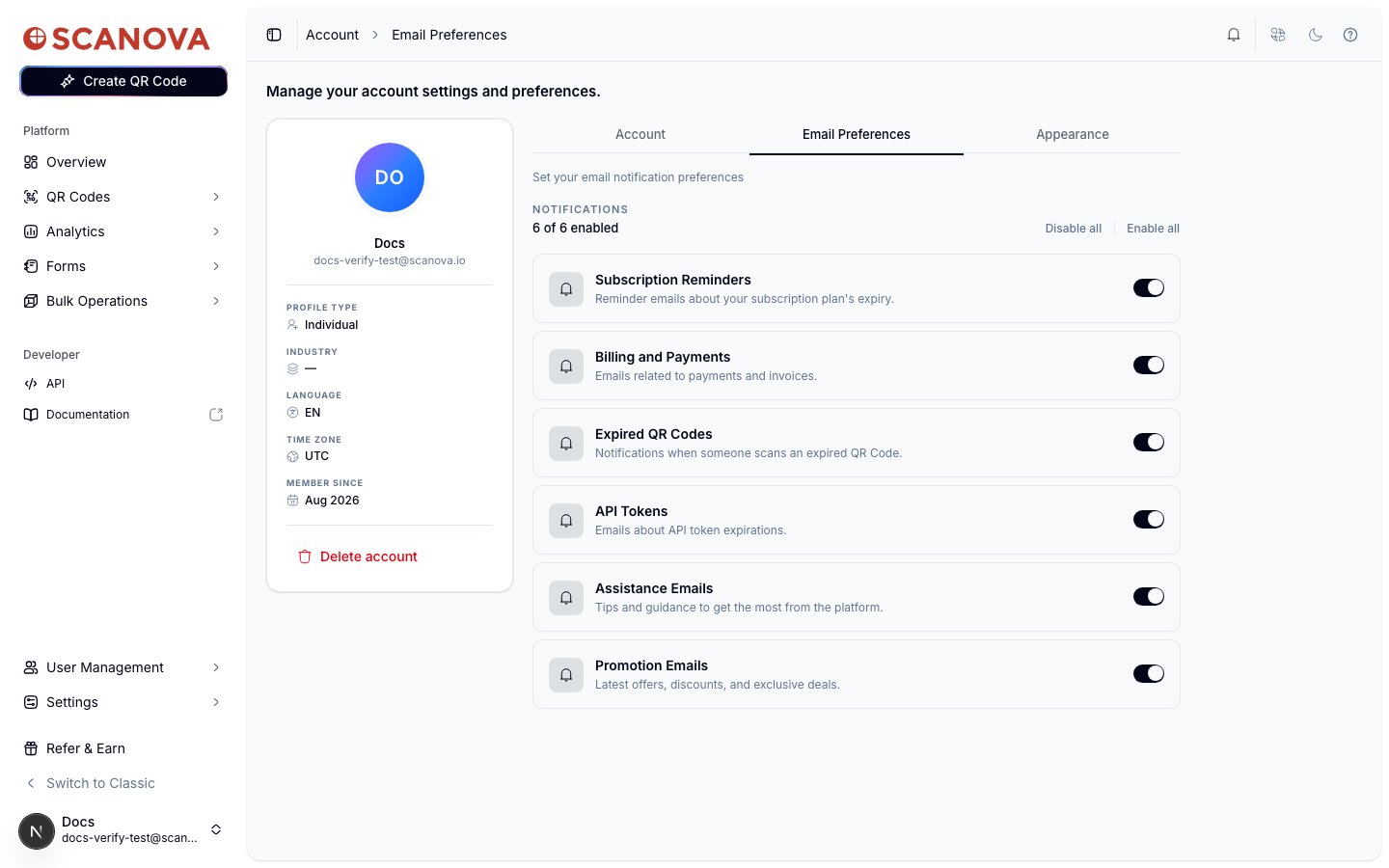
The **Email Preferences** tab (`/account/email-preferences`) controls which transactional and marketing emails Scanova sends you. It sits alongside **Account** and **Appearance** under `/account`.
 ## Notification categories
Six categories can each be toggled on or off independently:
| Category | What it covers |
| -------------------------- | ------------------------------------------------------ |
| **Subscription Reminders** | Reminder emails about your subscription plan's expiry. |
| **Billing and Payments** | Emails related to payments and invoices. |
| **Expired QR Codes** | Notifications when someone scans an expired QR code. |
| **API Tokens** | Emails about API token expirations. |
| **Assistance Emails** | Tips and guidance to get the most from the platform. |
| **Promotion Emails** | Latest offers, discounts, and exclusive deals. |
The header above the list shows a running count (e.g. "6 of 6 enabled").
## Turning a category off
Click the toggle to turn a category off. Since this stops emails you might want later, a confirmation dialog appears first:
## Notification categories
Six categories can each be toggled on or off independently:
| Category | What it covers |
| -------------------------- | ------------------------------------------------------ |
| **Subscription Reminders** | Reminder emails about your subscription plan's expiry. |
| **Billing and Payments** | Emails related to payments and invoices. |
| **Expired QR Codes** | Notifications when someone scans an expired QR code. |
| **API Tokens** | Emails about API token expirations. |
| **Assistance Emails** | Tips and guidance to get the most from the platform. |
| **Promotion Emails** | Latest offers, discounts, and exclusive deals. |
The header above the list shows a running count (e.g. "6 of 6 enabled").
## Turning a category off
Click the toggle to turn a category off. Since this stops emails you might want later, a confirmation dialog appears first:
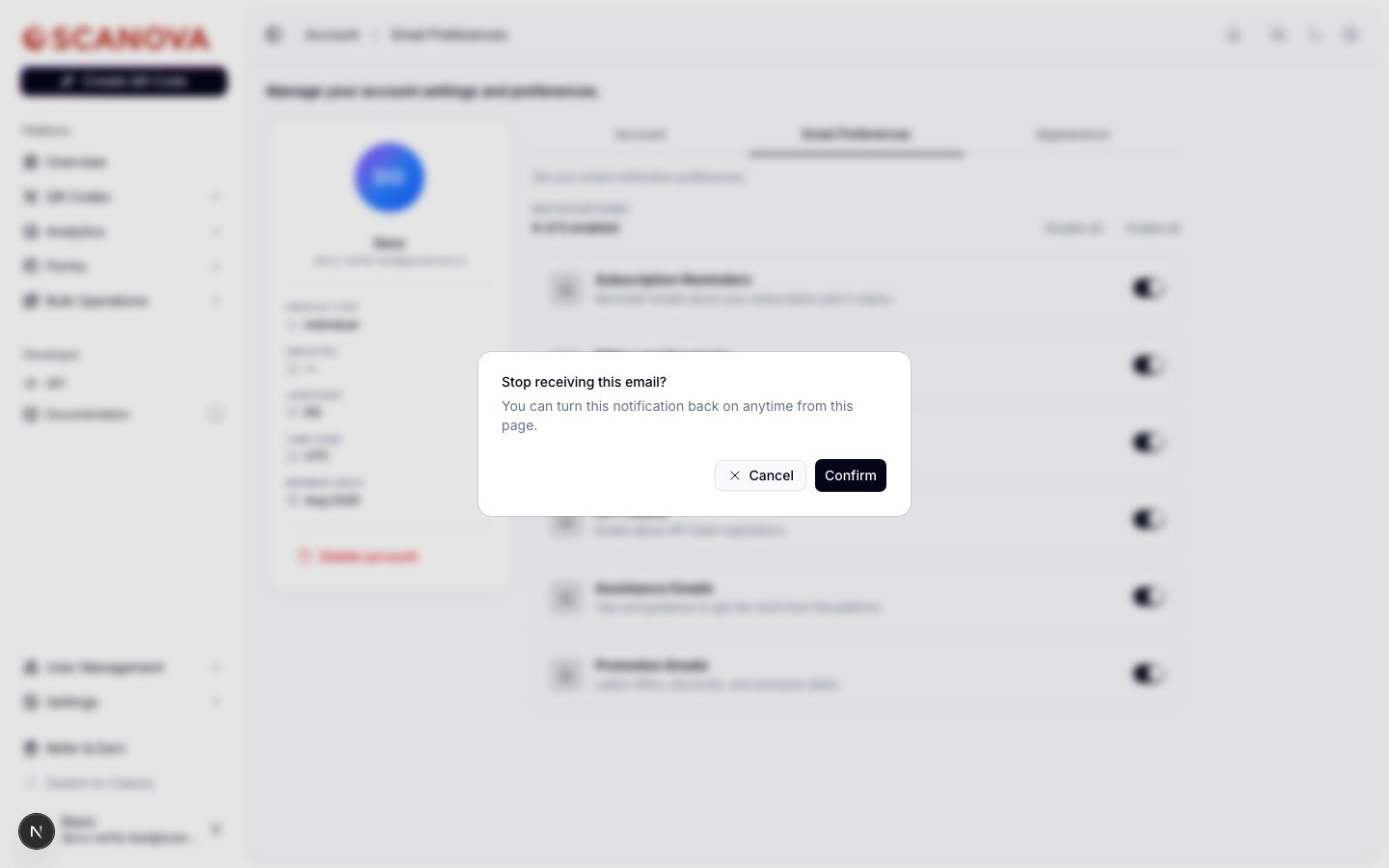 Click **Confirm** to disable the category, or **Cancel** to leave it unchanged. Turning a category back **on** applies immediately, with no confirmation step.
The change is optimistic — the toggle updates right away and only reverts if the save fails, so you'll rarely notice a delay either way.
## Bulk actions
Next to the "N of 6 enabled" count, **Disable all** and **Enable all** apply the same toggle to every category at once. Disabling all still goes through the same confirmation dialog described above.
## Related
* [Profile & appearance](/account/profile-and-appearance) — the sibling Account tab for profile, security, business info, and localization settings.
* [Subscription & billing](/billing/subscription-and-billing) — the plan and payment details behind the Billing and Payments email category above.
Click **Confirm** to disable the category, or **Cancel** to leave it unchanged. Turning a category back **on** applies immediately, with no confirmation step.
The change is optimistic — the toggle updates right away and only reverts if the save fails, so you'll rarely notice a delay either way.
## Bulk actions
Next to the "N of 6 enabled" count, **Disable all** and **Enable all** apply the same toggle to every category at once. Disabling all still goes through the same confirmation dialog described above.
## Related
* [Profile & appearance](/account/profile-and-appearance) — the sibling Account tab for profile, security, business info, and localization settings.
* [Subscription & billing](/billing/subscription-and-billing) — the plan and payment details behind the Billing and Payments email category above.