> ## Documentation Index
> Fetch the complete documentation index at: https://docs.scanova.io/llms.txt
> Use this file to discover all available pages before exploring further.
# Build a page from your website
> Import your logo, brand name, description, images, social links, and brand color straight from your own website, onto a blank page or into a template.
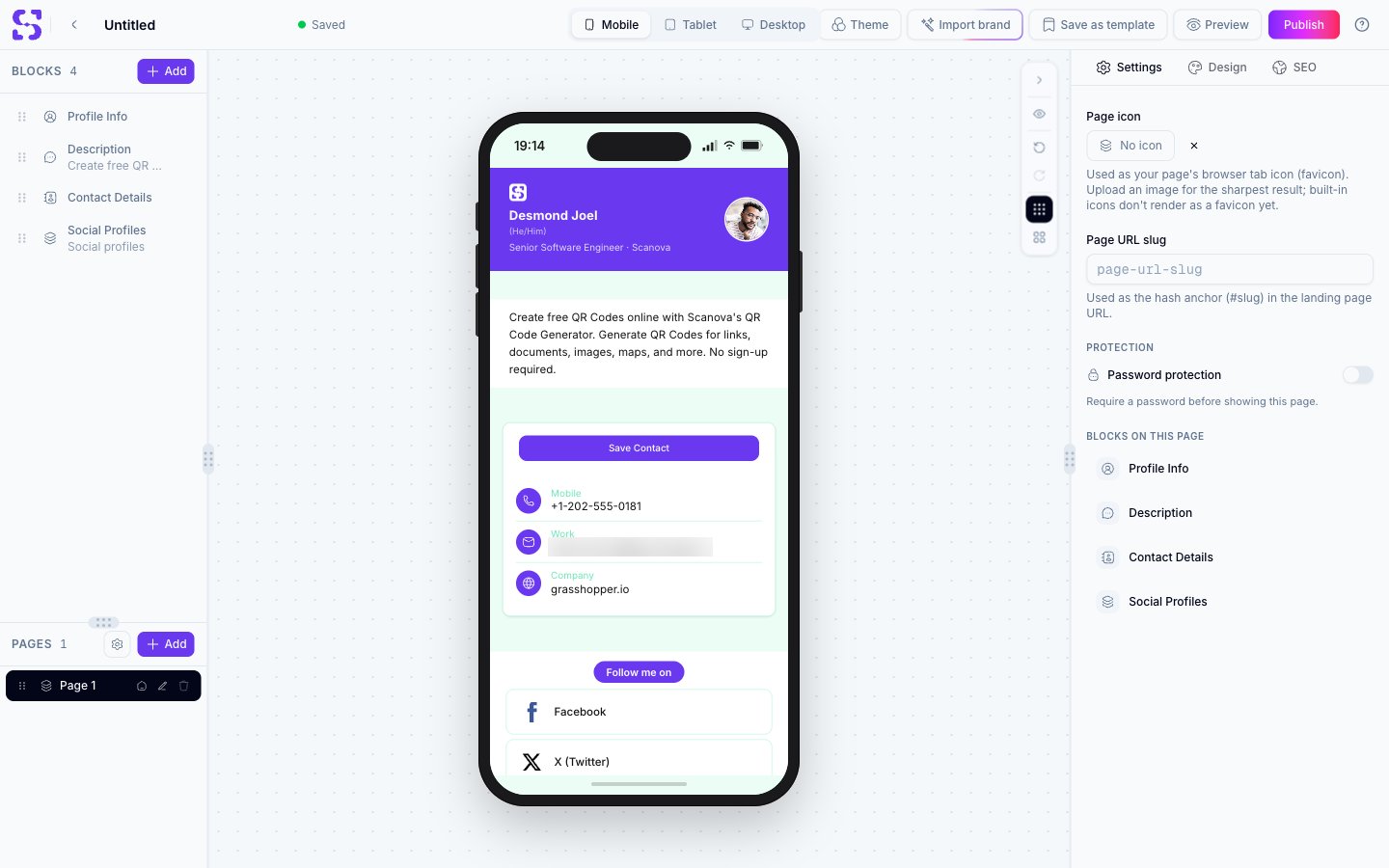
**Import brand** reads your website and fills a landing page with what it finds — your logo, brand name, description, images, contact details, social links, and brand color. On a blank page it builds the page for you. On a template it fills the template's blocks and leaves the layout, design, and theme untouched.
## Where to find Import brand
| Where | What it does |
| - | - |
| **Choose a Template** screen, top right | Opens a blank page with the importer already open |
| **Page builder** header | Opens the importer on the page you're editing |
| **Page builder** bottom bar, on mobile | The same as the header button |
Import brand appears on landing pages only. It isn't shown in the form builder, or on audio, image, and document pages.
## Importing your brand
Click **Import brand**. A dialog opens asking for your website address.
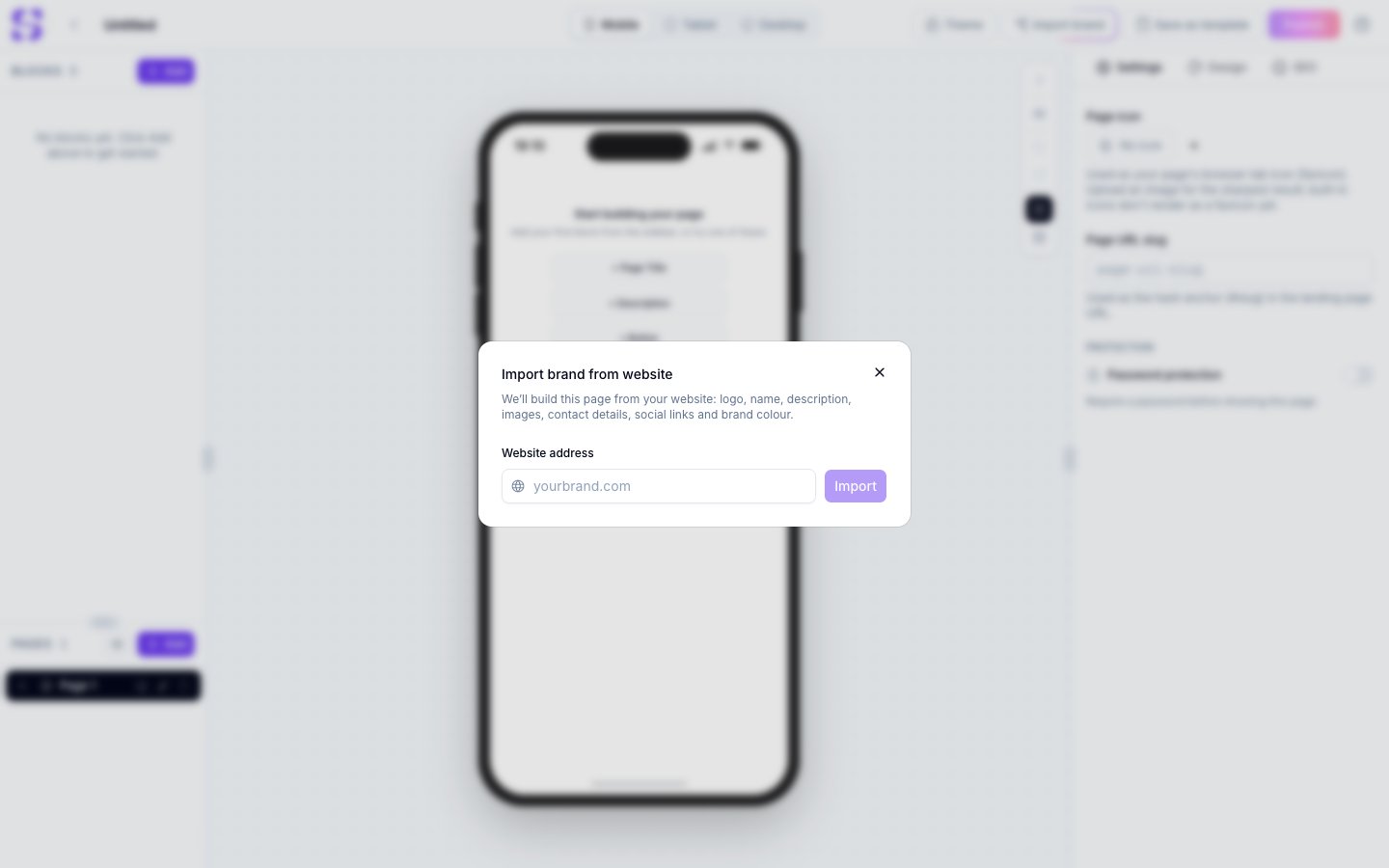 Type the address, for example `yourbrand.com`. The `https://` prefix is optional. An address that isn't valid is rejected straight away, with **Enter a valid website address, like yourbrand.com.**
Reading the site takes up to about 20 seconds.
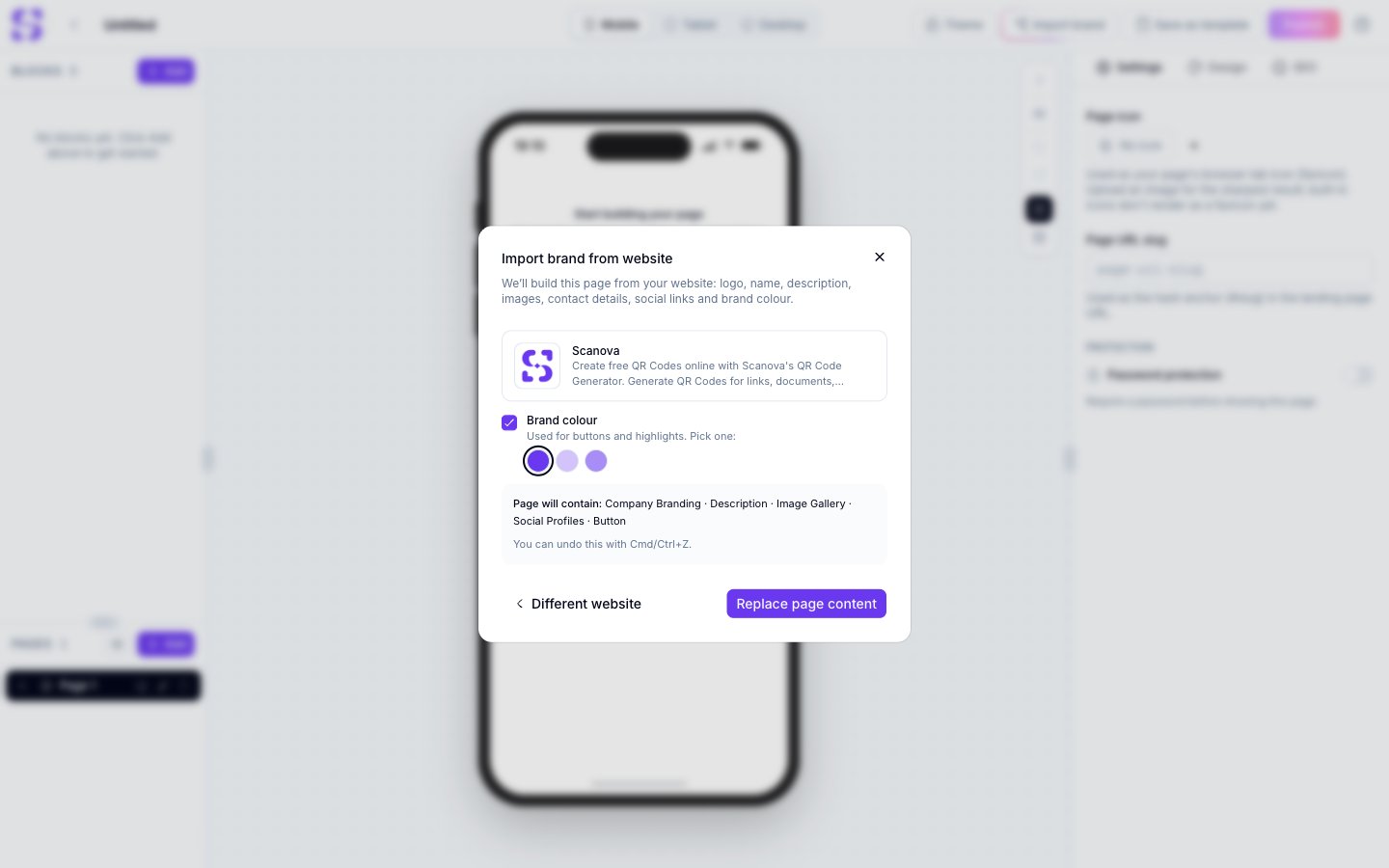
The preview shows the logo, brand name, and description that were found, along with a line listing exactly which blocks will change.
Clear the **Brand colour** checkbox to leave your page's existing colors alone, or pick one of the colors found on your site. The color you pick becomes the accent color for buttons and highlights.
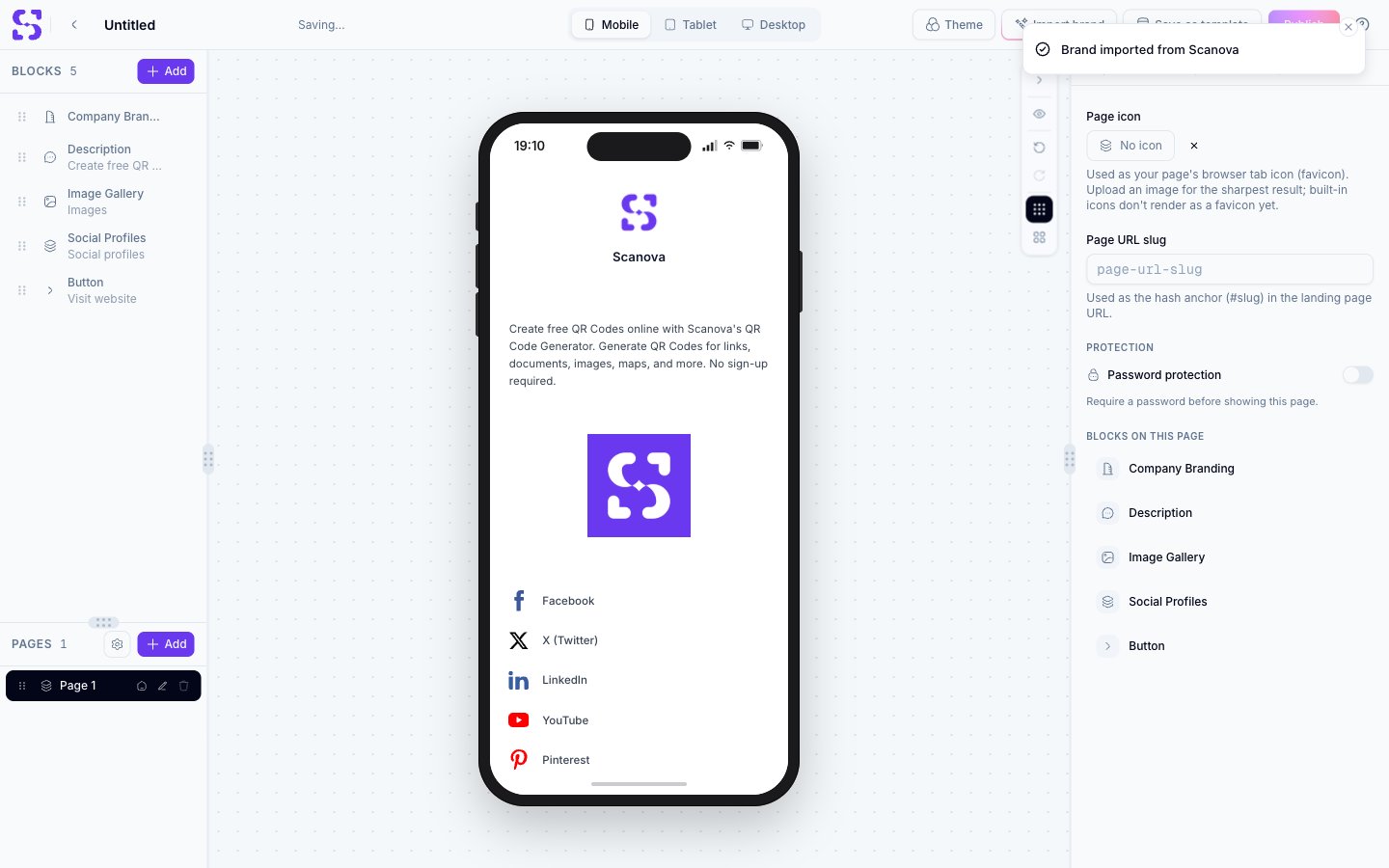
Click **Fill template** on a template, or **Replace page content** on a blank page. The page updates and saves itself.
To try a different address without starting over, click **Different website** in the preview.
## What you get on a blank page
The page is built from your website, and blocks with no matching data are left out — so you get no placeholder or demo content.
| Block | Added when |
| - | - |
| Profile Info | Business card, vCard, and dynamic vCard pages |
| Company Branding | All other page types |
| Description | A description was found |
| Image Gallery | A usable image was found |
| Contact Details | Contact data was found, on business card, vCard, dynamic vCard, or real estate pages |
| Social Profiles | At least one social link was found |
| Button | Always, as **Visit website** |
Type the address, for example `yourbrand.com`. The `https://` prefix is optional. An address that isn't valid is rejected straight away, with **Enter a valid website address, like yourbrand.com.**
Reading the site takes up to about 20 seconds.
The preview shows the logo, brand name, and description that were found, along with a line listing exactly which blocks will change.
Clear the **Brand colour** checkbox to leave your page's existing colors alone, or pick one of the colors found on your site. The color you pick becomes the accent color for buttons and highlights.
Click **Fill template** on a template, or **Replace page content** on a blank page. The page updates and saves itself.
To try a different address without starting over, click **Different website** in the preview.
## What you get on a blank page
The page is built from your website, and blocks with no matching data are left out — so you get no placeholder or demo content.
| Block | Added when |
| - | - |
| Profile Info | Business card, vCard, and dynamic vCard pages |
| Company Branding | All other page types |
| Description | A description was found |
| Image Gallery | A usable image was found |
| Contact Details | Contact data was found, on business card, vCard, dynamic vCard, or real estate pages |
| Social Profiles | At least one social link was found |
| Button | Always, as **Visit website** |
 ## What gets filled in a template
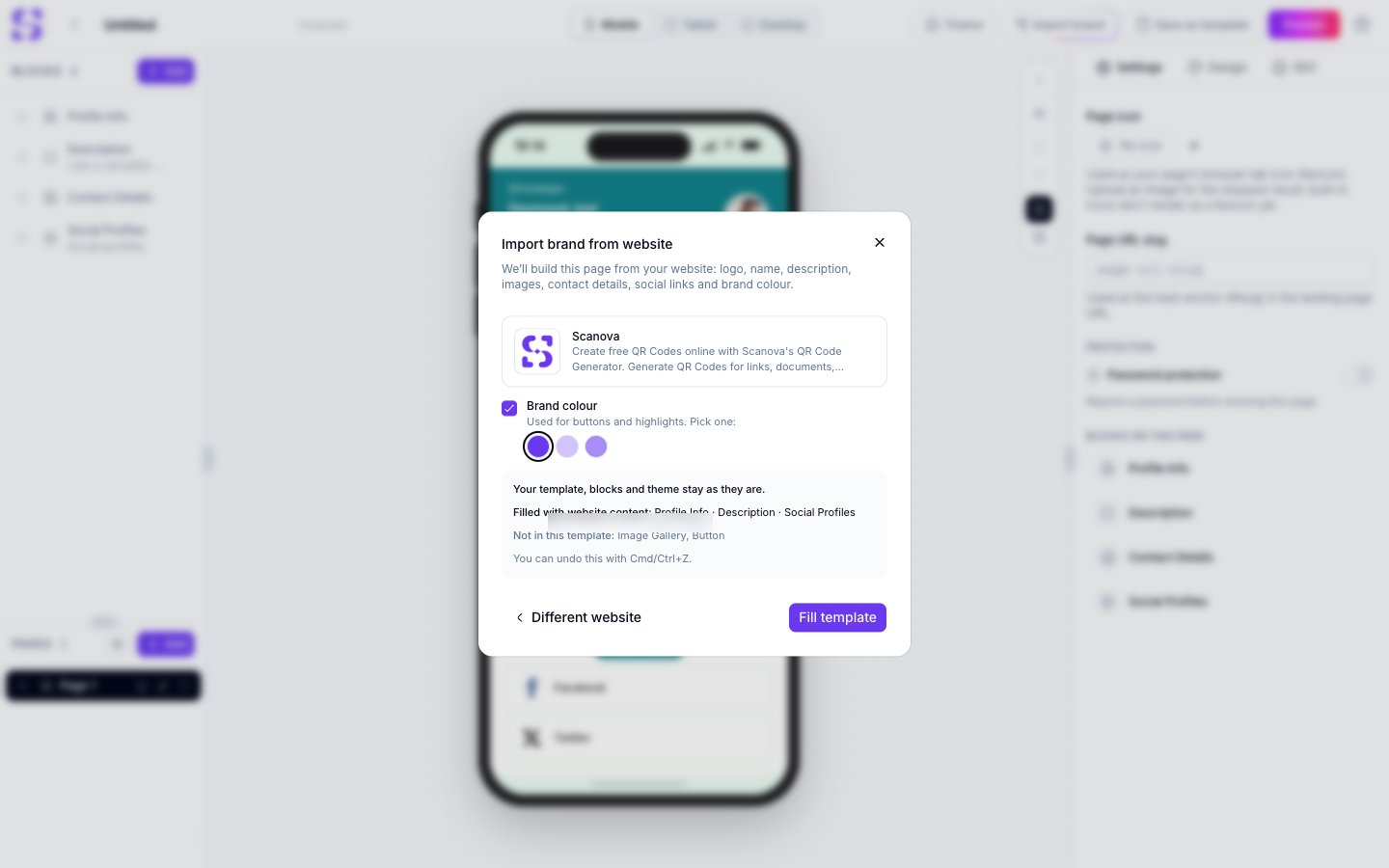
Your template keeps its blocks, their order, its design, and its theme. Only the content is written in.
| Template block | What your website fills |
| - | - |
| Profile Info | Company name and logo. The person's name, photo, and job title stay as they are |
| Company Branding | Brand name and logo |
| Description | Your website's description |
| Banner image | Your website's main image, in the template's own banner style |
| Contact Details | Emails, phones, address, and website |
| Social Profiles | Facebook, Instagram, X, LinkedIn, YouTube, TikTok, and Pinterest links |
| Button | **Visit website**, pointing at your site |
A few things worth knowing before you apply an import:
* Only the **first** block of each type is filled. A second description or button keeps its own content
* Blocks your website can't fill, such as a menu or gallery, are left exactly as they are
* Contact details are filled on business card, vCard, dynamic vCard, and real estate pages. A template that shows a contact block may still keep its own placeholder details
* If your site has something the template has no block for, it isn't added. The preview lists it under **Not in this template**
* The template's first button is relabeled **Visit website**
The preview's **Filled with website content** line is the reliable guide to what will actually change. Read it before you apply.
## What gets filled in a template
Your template keeps its blocks, their order, its design, and its theme. Only the content is written in.
| Template block | What your website fills |
| - | - |
| Profile Info | Company name and logo. The person's name, photo, and job title stay as they are |
| Company Branding | Brand name and logo |
| Description | Your website's description |
| Banner image | Your website's main image, in the template's own banner style |
| Contact Details | Emails, phones, address, and website |
| Social Profiles | Facebook, Instagram, X, LinkedIn, YouTube, TikTok, and Pinterest links |
| Button | **Visit website**, pointing at your site |
A few things worth knowing before you apply an import:
* Only the **first** block of each type is filled. A second description or button keeps its own content
* Blocks your website can't fill, such as a menu or gallery, are left exactly as they are
* Contact details are filled on business card, vCard, dynamic vCard, and real estate pages. A template that shows a contact block may still keep its own placeholder details
* If your site has something the template has no block for, it isn't added. The preview lists it under **Not in this template**
* The template's first button is relabeled **Visit website**
The preview's **Filled with website content** line is the reliable guide to what will actually change. Read it before you apply.
 ## Undoing an import
**Cmd/Ctrl+Z** restores the page as it was. If you applied a brand color to a template, press it twice — once for the content, and once for the color.
## When your website can't be read
Some sites can't be read, and the message tells you which one you're hitting.
| What happened | What you'll see |
| - | - |
| The address isn't valid | Enter a valid website address, like yourbrand.com. |
| The site blocks automated access | This website blocks automated access (bot protection), so its details can't be imported. Add them manually instead. |
| The site doesn't exist | We couldn't find that website. Check the spelling of the address. |
| The site is too slow | That website took too long to respond. Try again in a moment. |
| The page is a 404 | That page doesn't exist. Check the address or try the homepage. |
| The site returned an error | That website returned an error. Try again later or use another page. |
| The link isn't a web page | That link isn't a web page. Enter your homepage address. |
| Too many imports at once | Too many imports in a short time. Wait a minute and try again. |
Bot protection is the most common one. If your site sits behind Cloudflare or a similar service, add your details by hand instead.
## Limits
* You need to be logged in, and you can run up to 10 imports a minute
* Logos are saved as PNGs up to 256 px, and images as JPEGs up to 1200 px. Logos supplied only as SVG files are skipped, so a site may import with no logo
* Nothing is cached. Every import reads your site as it is at that moment
* Your brand name comes from your site's own metadata, exactly as written there, so it may read longer than you expect
## Related
* [Templates](/page-builder/templates) — picking the template an import will fill
* [Page Builder overview](/page-builder/overview) — editing the blocks once they're filled
* [Themes](/page-builder/themes) — changing colors after an import, or putting a template's own colors back
## Undoing an import
**Cmd/Ctrl+Z** restores the page as it was. If you applied a brand color to a template, press it twice — once for the content, and once for the color.
## When your website can't be read
Some sites can't be read, and the message tells you which one you're hitting.
| What happened | What you'll see |
| - | - |
| The address isn't valid | Enter a valid website address, like yourbrand.com. |
| The site blocks automated access | This website blocks automated access (bot protection), so its details can't be imported. Add them manually instead. |
| The site doesn't exist | We couldn't find that website. Check the spelling of the address. |
| The site is too slow | That website took too long to respond. Try again in a moment. |
| The page is a 404 | That page doesn't exist. Check the address or try the homepage. |
| The site returned an error | That website returned an error. Try again later or use another page. |
| The link isn't a web page | That link isn't a web page. Enter your homepage address. |
| Too many imports at once | Too many imports in a short time. Wait a minute and try again. |
Bot protection is the most common one. If your site sits behind Cloudflare or a similar service, add your details by hand instead.
## Limits
* You need to be logged in, and you can run up to 10 imports a minute
* Logos are saved as PNGs up to 256 px, and images as JPEGs up to 1200 px. Logos supplied only as SVG files are skipped, so a site may import with no logo
* Nothing is cached. Every import reads your site as it is at that moment
* Your brand name comes from your site's own metadata, exactly as written there, so it may read longer than you expect
## Related
* [Templates](/page-builder/templates) — picking the template an import will fill
* [Page Builder overview](/page-builder/overview) — editing the blocks once they're filled
* [Themes](/page-builder/themes) — changing colors after an import, or putting a template's own colors back