> ## Documentation Index
> Fetch the complete documentation index at: https://docs.scanova.io/llms.txt
> Use this file to discover all available pages before exploring further.
# AI QR / AI Studio
> Generate a landing page from a text description using AI Studio.
**AI Studio** is one of the three starting points on the [Create QR Code hub](/qr-codes/create/quick-code-vs-page) (`/qr/create`), alongside Quick Code and Build a Page. Instead of assembling a landing page block-by-block, you describe what you want in plain text and AI generates the page's blocks and copy for you to refine or publish as-is.
This page documents only what's reachable **without** triggering a real AI generation request, since generating a page has a cost. The settings/prompt screen and the post-generation editor were not verified live — see the note at the end of this page.
## What the hub shows
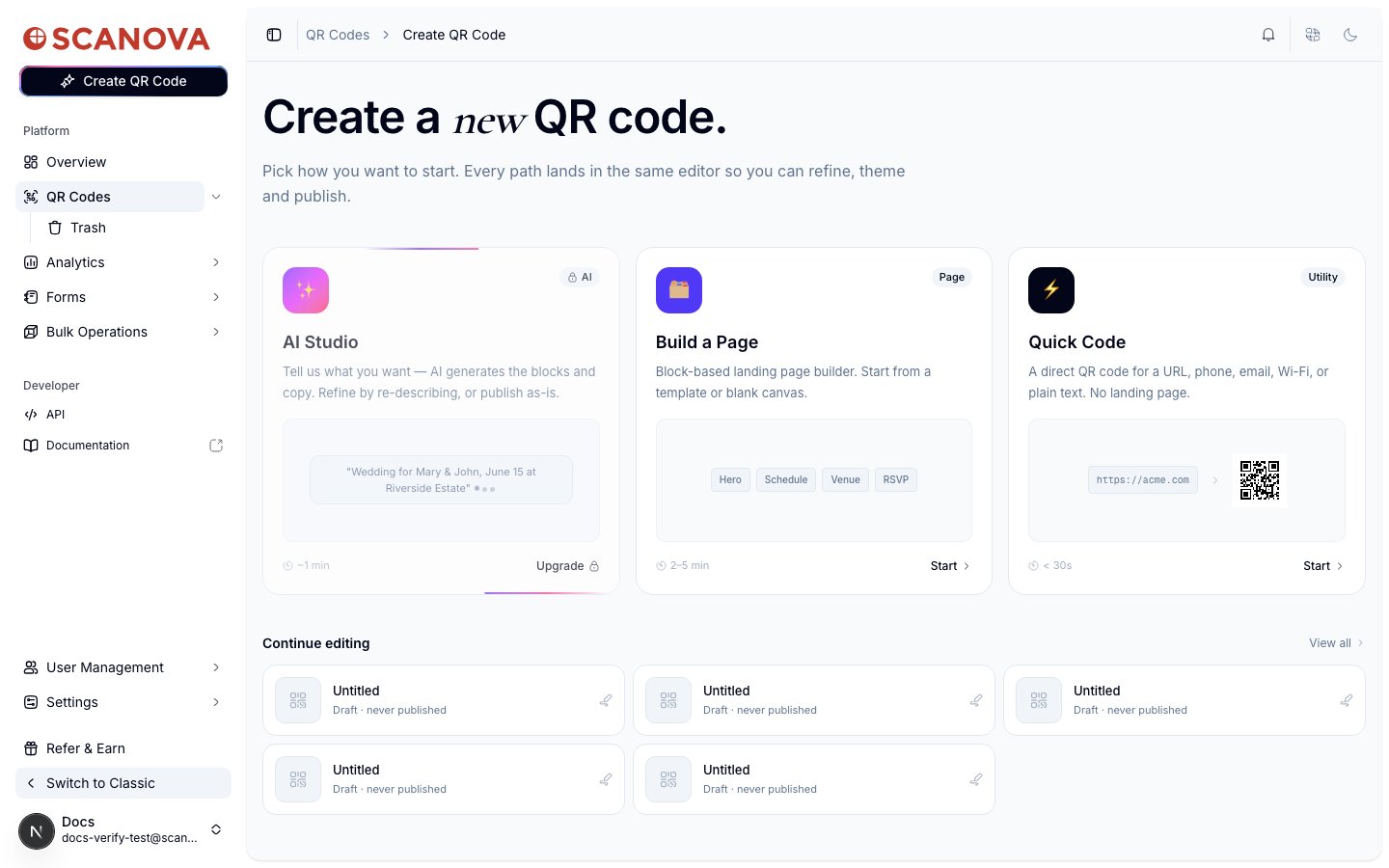
On the Create QR Code hub, the AI Studio card reads:
> Tell us what you want — AI generates the blocks and copy. Refine by re-describing, or publish as-is.
with a sample prompt shown as placeholder text — *"Wedding for Mary & John, June 15 at Riverside Estate"* — and an estimated generation time of about 1 minute, badged **AI**.
 ## Plan gating
On the account used to verify this page — an active Pro plan — the AI Studio card shows a lock icon and an **Upgrade** button in place of **Start**. Navigating directly to its entry point (`/qr/new/ai`) redirects to a paywall screen rather than the generation UI:
## Plan gating
On the account used to verify this page — an active Pro plan — the AI Studio card shows a lock icon and an **Upgrade** button in place of **Start**. Navigating directly to its entry point (`/qr/new/ai`) redirects to a paywall screen rather than the generation UI:
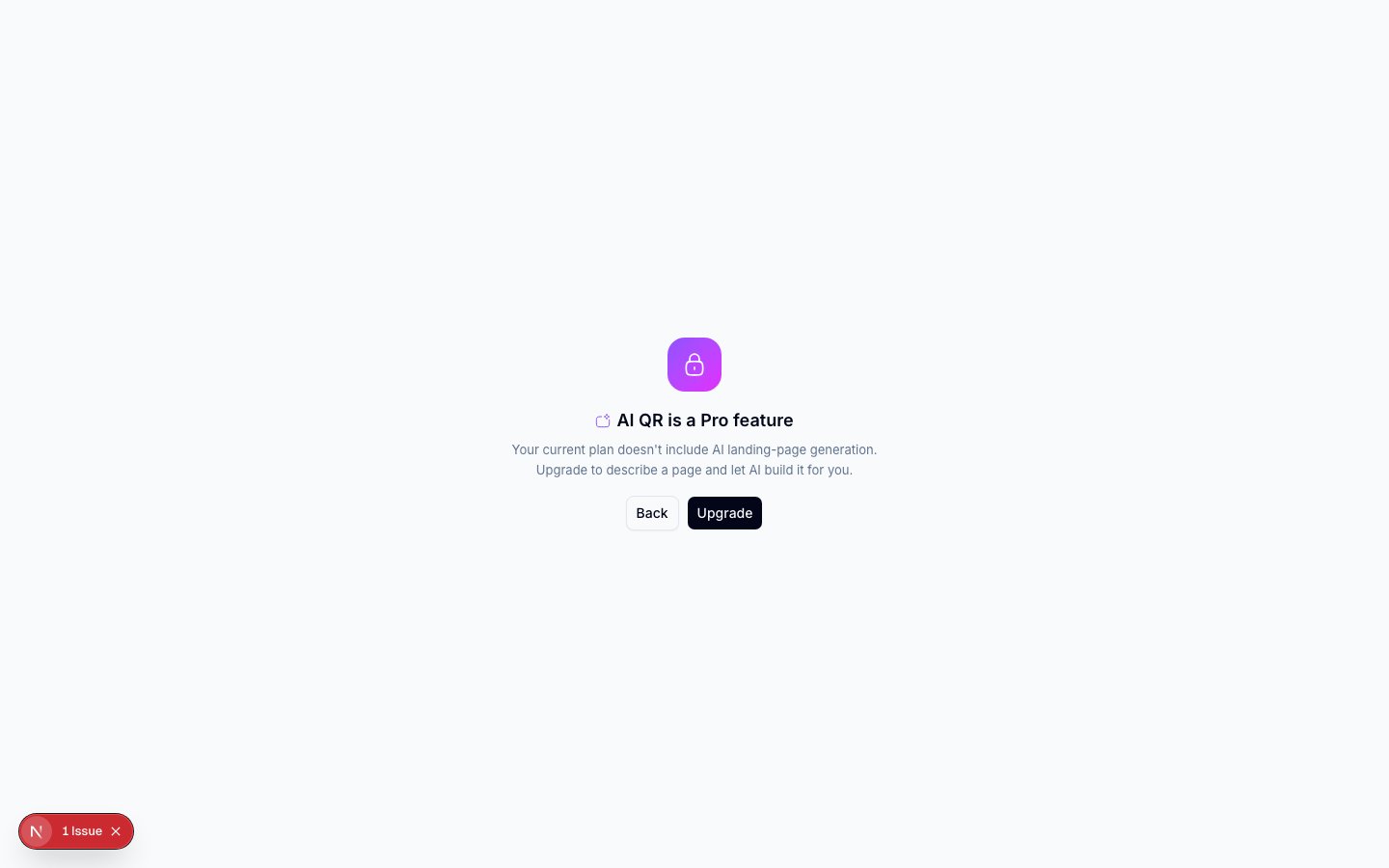 The paywall's own copy calls this "a Pro feature," which reads as if a Pro plan should include it — but this Pro-plan account was still gated. If you're on Pro and expect AI Studio to be included, check your plan's feature list or contact support; the actual tier requirement may sit above Pro despite the wording.
## What AI Studio does, based on what's visible
From the hub card copy and the general shape of the flow:
* You describe the page you want in a text prompt (the hub's placeholder example is a wedding announcement).
* AI Studio generates a landing page from that description — populating the same kind of content blocks used by [Build a Page](/page-builder/overview).
* You can refine the result by re-describing what you want, or publish the generated page as-is.
* Estimated time to a usable page is about a minute, versus 2–5 minutes assembling one manually.
The full prompt/settings screen, the generation itself, and the resulting editor were not accessible on the verification account and are **not** documented here to avoid guessing. If you have access to AI Studio, expect the generated page to land in the same block-based [Page Builder](/page-builder/overview) used by Build a Page, since both produce the same kind of landing page.
## Creating a page via the API
AI Studio produces a landing page, which the API represents the same way [Build a Page](/qr-codes/create/quick-code-vs-page) does — as a **Custom Page** (category `9`) QR code rather than a Quick Code category. There's no separate "AI" category: the AI-assisted authoring happens in the dashboard UI, not as a distinct API operation. See [Create QR Code](/v1/api-reference/endpoint/qr_manager/create) for the request schema and [Category List](/v1/api-reference/references/category-list) for the full category mapping.
## Related
* [Quick Code vs. full Page](/qr-codes/create/quick-code-vs-page) — how AI Studio compares to Quick Code and manual Build a Page.
* [Page Builder overview](/page-builder/overview) — the block-based editor an AI-generated page lands in for further edits.
* [Templates](/page-builder/templates) — the manual alternative to AI generation: start from a pre-built template instead.
The paywall's own copy calls this "a Pro feature," which reads as if a Pro plan should include it — but this Pro-plan account was still gated. If you're on Pro and expect AI Studio to be included, check your plan's feature list or contact support; the actual tier requirement may sit above Pro despite the wording.
## What AI Studio does, based on what's visible
From the hub card copy and the general shape of the flow:
* You describe the page you want in a text prompt (the hub's placeholder example is a wedding announcement).
* AI Studio generates a landing page from that description — populating the same kind of content blocks used by [Build a Page](/page-builder/overview).
* You can refine the result by re-describing what you want, or publish the generated page as-is.
* Estimated time to a usable page is about a minute, versus 2–5 minutes assembling one manually.
The full prompt/settings screen, the generation itself, and the resulting editor were not accessible on the verification account and are **not** documented here to avoid guessing. If you have access to AI Studio, expect the generated page to land in the same block-based [Page Builder](/page-builder/overview) used by Build a Page, since both produce the same kind of landing page.
## Creating a page via the API
AI Studio produces a landing page, which the API represents the same way [Build a Page](/qr-codes/create/quick-code-vs-page) does — as a **Custom Page** (category `9`) QR code rather than a Quick Code category. There's no separate "AI" category: the AI-assisted authoring happens in the dashboard UI, not as a distinct API operation. See [Create QR Code](/v1/api-reference/endpoint/qr_manager/create) for the request schema and [Category List](/v1/api-reference/references/category-list) for the full category mapping.
## Related
* [Quick Code vs. full Page](/qr-codes/create/quick-code-vs-page) — how AI Studio compares to Quick Code and manual Build a Page.
* [Page Builder overview](/page-builder/overview) — the block-based editor an AI-generated page lands in for further edits.
* [Templates](/page-builder/templates) — the manual alternative to AI generation: start from a pre-built template instead.