> ## Documentation Index
> Fetch the complete documentation index at: https://docs.scanova.io/llms.txt
> Use this file to discover all available pages before exploring further.
# Quick Code vs. full Page
> The fundamental choice at /qr/create: a direct-action Quick Code, a block-based Page, or an AI-generated one.
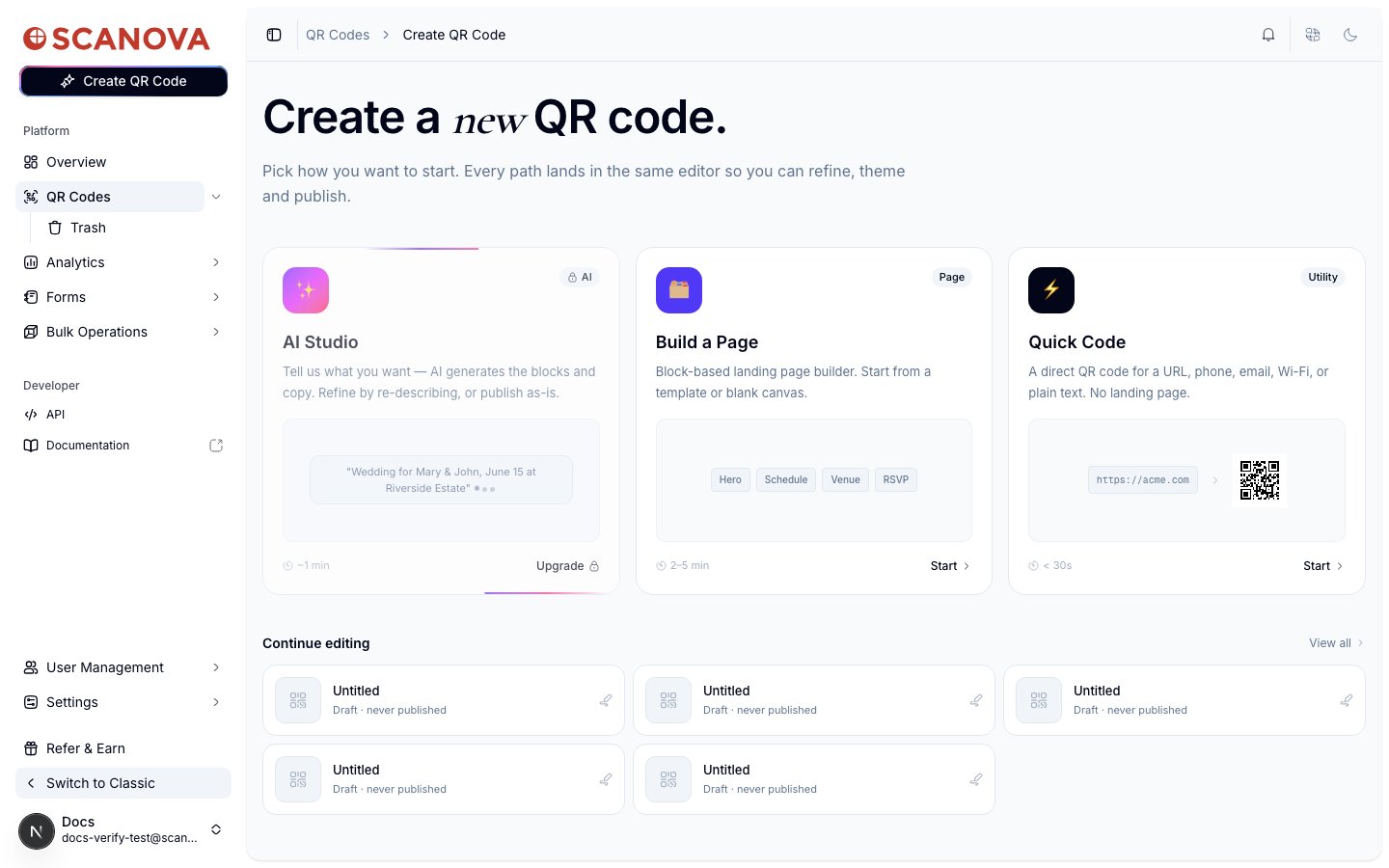
Every QR code in Scanova starts from the same hub — `/qr/create` — where you choose one of three starting points before anything else. Picking correctly up front avoids rebuilding a QR code later, since a **Quick Code** and a **Page** lead to different editors with different capabilities.
 ## Quick Code — direct action, no landing page
A **Quick Code** does something the instant it's scanned: it redirects to a URL, opens the dialer, drops in a Wi-Fi network, composes an email or text, or shows plain static text. Nothing is rendered in the browser first — there's no landing page to design, host, or theme.
Scanova's own copy for this card: *"A direct QR code for a URL, phone, email, Wi-Fi, or plain text. No landing page."* — estimated at under 30 seconds to create.
Clicking **Start** on Quick Code opens a grid of types to choose from: **Website URL**, **Google Maps**, **App Store**, **App Deep Link**, and **GS1** support Dynamic (editable, trackable) QR codes, while **Phone Call**, **Email**, **Text Message**, **Wi-Fi**, **Plain Text**, **Event Calendar**, and **Contact Card** are Static only. Picking a type (e.g. **Website URL**) opens its configuration form directly — e.g. `/qr/quick/url` — with no page-builder step in between.
**Choose Quick Code when** the scan should trigger an immediate action and you don't need branded content, multiple sections, or analytics beyond scan counts.
## Build a Page — the block-based landing page builder
**Build a Page** is Scanova's copy: *"Block-based landing page builder. Start from a template or blank canvas."* — estimated at 2–5 minutes. Clicking **Start** takes you to `/qr/new`, a **Choose a template** gallery filtered by category (Business, Restaurant, Wedding, Event, Product, Social Media, and more, or **Start Blank**):
## Quick Code — direct action, no landing page
A **Quick Code** does something the instant it's scanned: it redirects to a URL, opens the dialer, drops in a Wi-Fi network, composes an email or text, or shows plain static text. Nothing is rendered in the browser first — there's no landing page to design, host, or theme.
Scanova's own copy for this card: *"A direct QR code for a URL, phone, email, Wi-Fi, or plain text. No landing page."* — estimated at under 30 seconds to create.
Clicking **Start** on Quick Code opens a grid of types to choose from: **Website URL**, **Google Maps**, **App Store**, **App Deep Link**, and **GS1** support Dynamic (editable, trackable) QR codes, while **Phone Call**, **Email**, **Text Message**, **Wi-Fi**, **Plain Text**, **Event Calendar**, and **Contact Card** are Static only. Picking a type (e.g. **Website URL**) opens its configuration form directly — e.g. `/qr/quick/url` — with no page-builder step in between.
**Choose Quick Code when** the scan should trigger an immediate action and you don't need branded content, multiple sections, or analytics beyond scan counts.
## Build a Page — the block-based landing page builder
**Build a Page** is Scanova's copy: *"Block-based landing page builder. Start from a template or blank canvas."* — estimated at 2–5 minutes. Clicking **Start** takes you to `/qr/new`, a **Choose a template** gallery filtered by category (Business, Restaurant, Wedding, Event, Product, Social Media, and more, or **Start Blank**):
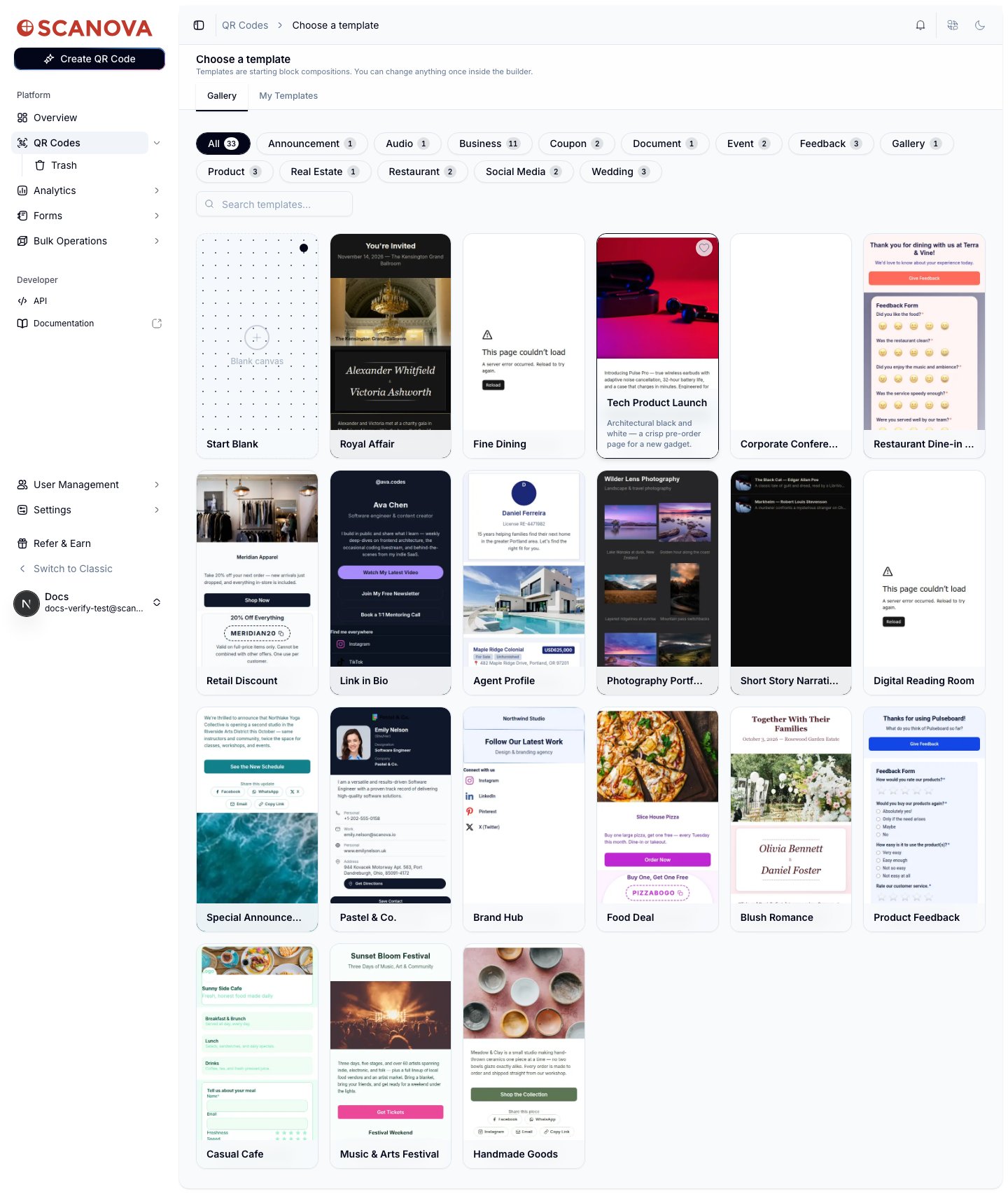 Picking a template (or Start Blank) opens the page builder itself at `/qr/new/landing`, where you assemble the page from content blocks (hero, schedule, gallery, forms, and more — see the [Page Builder overview](/page-builder/overview)) before publishing.
**Choose Build a Page when** the QR code should show a full landing page — multiple content blocks, your own branding, or something more than a single redirect.
## AI Studio — AI-generated pages
**AI Studio** works like Build a Page but skips manual block assembly: you describe what you want ("Wedding for Mary & John, June 15 at Riverside Estate") and AI generates the blocks and copy, which you can then refine by re-describing or publish as-is — estimated at \~1 minute.
On the account used to verify this page (a Pro plan), the AI Studio card showed **Upgrade** instead of **Start**, and navigating to its entry point directly returned: *"AI QR is a Pro feature — Your current plan doesn't include AI landing-page generation."* AI Studio's actual plan requirement may sit above Pro despite that wording — check your plan's feature list, or see [AI QR / AI Studio](/qr-codes/create/ai-qr) for what's documented there.
## Quick reference
| | Quick Code | Build a Page | AI Studio |
| ------------------------- | ------------------------------------------------ | ------------------------ | -------------------------------- |
| Result | Direct action (redirect, dial, join Wi-Fi, etc.) | Multi-block landing page | AI-generated landing page |
| Editor | A single configuration form | Block-based page builder | AI prompt, then the page builder |
| Typical time | \< 30s | 2–5 min | \~1 min to generate |
| Editable after publishing | Dynamic types: yes. Static types: no | Yes | Yes |
## Creating one via the API
Both paths ultimately create a QR code through the same [Create QR Code](/v1/api-reference/endpoint/qr_manager/create) endpoint — the `category` field determines whether it behaves as a Quick Code (e.g. category `1` for Website URL) or a Page. See [Category List](/v1/api-reference/references/category-list) for the full mapping.
## Related
* [Creating your first QR code](/getting-started/first-qr-code) — a full walkthrough of the Quick Code path described above.
* [Page Builder overview](/page-builder/overview) — a closer look at the block-based editor behind Build a Page.
* [AI QR / AI Studio](/qr-codes/create/ai-qr) — a closer look at the AI-generated path summarized above.
* [Website URL QR Code](/qr-codes/create/website-url) — the simplest Quick Code type to start with.
Picking a template (or Start Blank) opens the page builder itself at `/qr/new/landing`, where you assemble the page from content blocks (hero, schedule, gallery, forms, and more — see the [Page Builder overview](/page-builder/overview)) before publishing.
**Choose Build a Page when** the QR code should show a full landing page — multiple content blocks, your own branding, or something more than a single redirect.
## AI Studio — AI-generated pages
**AI Studio** works like Build a Page but skips manual block assembly: you describe what you want ("Wedding for Mary & John, June 15 at Riverside Estate") and AI generates the blocks and copy, which you can then refine by re-describing or publish as-is — estimated at \~1 minute.
On the account used to verify this page (a Pro plan), the AI Studio card showed **Upgrade** instead of **Start**, and navigating to its entry point directly returned: *"AI QR is a Pro feature — Your current plan doesn't include AI landing-page generation."* AI Studio's actual plan requirement may sit above Pro despite that wording — check your plan's feature list, or see [AI QR / AI Studio](/qr-codes/create/ai-qr) for what's documented there.
## Quick reference
| | Quick Code | Build a Page | AI Studio |
| ------------------------- | ------------------------------------------------ | ------------------------ | -------------------------------- |
| Result | Direct action (redirect, dial, join Wi-Fi, etc.) | Multi-block landing page | AI-generated landing page |
| Editor | A single configuration form | Block-based page builder | AI prompt, then the page builder |
| Typical time | \< 30s | 2–5 min | \~1 min to generate |
| Editable after publishing | Dynamic types: yes. Static types: no | Yes | Yes |
## Creating one via the API
Both paths ultimately create a QR code through the same [Create QR Code](/v1/api-reference/endpoint/qr_manager/create) endpoint — the `category` field determines whether it behaves as a Quick Code (e.g. category `1` for Website URL) or a Page. See [Category List](/v1/api-reference/references/category-list) for the full mapping.
## Related
* [Creating your first QR code](/getting-started/first-qr-code) — a full walkthrough of the Quick Code path described above.
* [Page Builder overview](/page-builder/overview) — a closer look at the block-based editor behind Build a Page.
* [AI QR / AI Studio](/qr-codes/create/ai-qr) — a closer look at the AI-generated path summarized above.
* [Website URL QR Code](/qr-codes/create/website-url) — the simplest Quick Code type to start with.