> ## Documentation Index
> Fetch the complete documentation index at: https://docs.scanova.io/llms.txt
> Use this file to discover all available pages before exploring further.
# Test QR Code
> Check that a QR Code resolves to the right destination before you print it, using the built in test action rather than scanning it with your own phone.
**Test QR Code** lets you scan a QR Code with your own phone, right from the [Design editor](/qr-codes/manage/custom-design), before you print or publish it — useful after a custom color, logo, or frame change that might affect scannability. Open it from the **Test QR Code** icon in the vertical toolbar beside the canvas (on either the **Custom Design** or **AI Design** tab).
 ## How it works
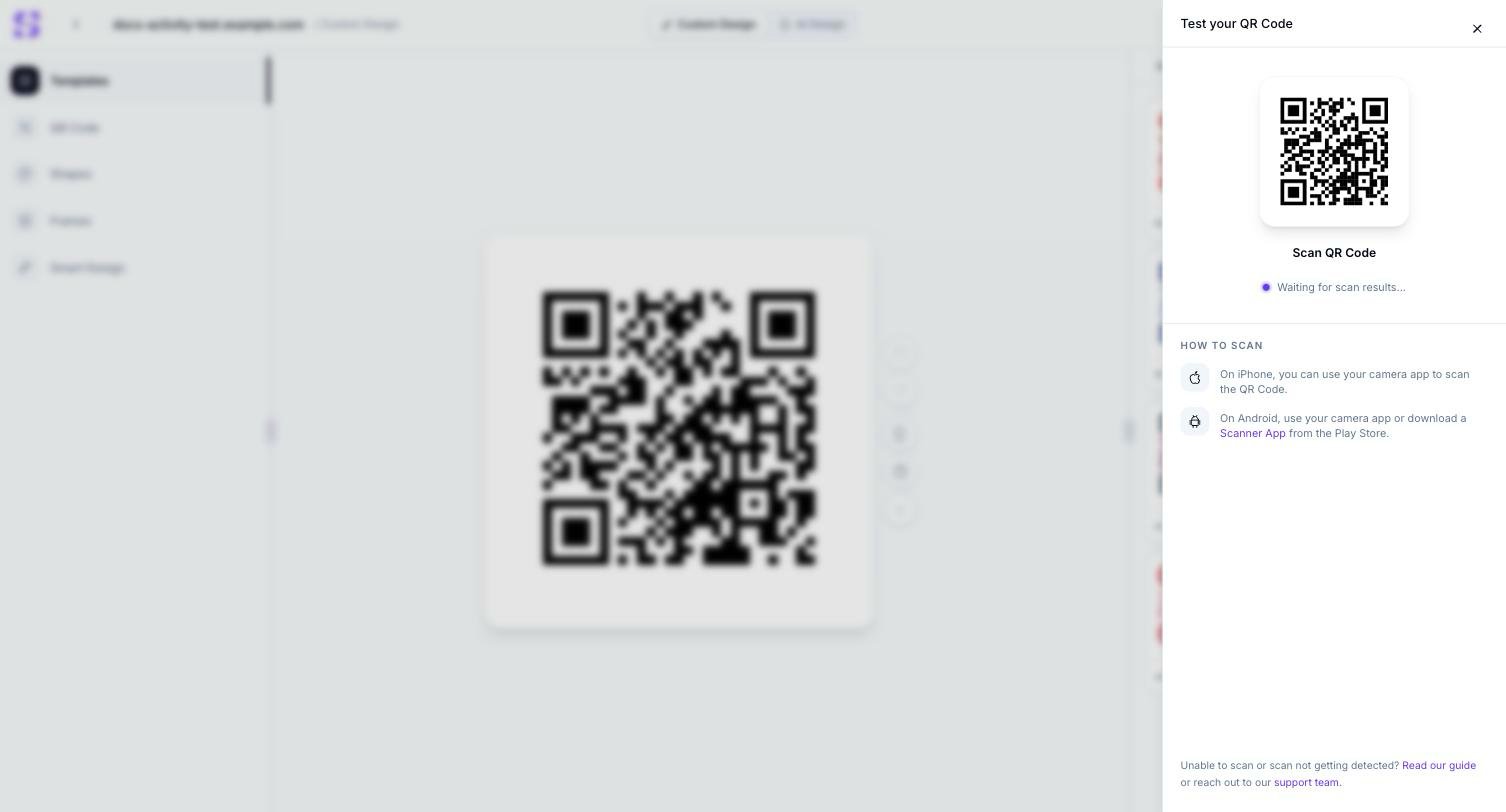
Click the Test QR Code icon in the canvas toolbar. A drawer opens showing your QR Code's current design and a **Waiting for scan results...** status.
Follow the **How to Scan** instructions: on iPhone, your camera app scans it directly; on Android, use your camera app or download a Scanner App from the Play Store.
If your phone can't scan it, the drawer's footer links to **Read our guide** (this page) or **support team** (the in-app [Support Center](/support/overview)) for troubleshooting.
## Related
* [Custom QR Code design](/qr-codes/manage/custom-design) — the editor this tool is opened from, and the settings most likely to need a scan test after changing them
* [AI Design](/qr-codes/manage/ai-design) — an AI-generated background is exactly the kind of busy design worth testing here before publishing
* [Support](/support/overview) — the in-app help hub linked from this drawer's footer
## How it works
Click the Test QR Code icon in the canvas toolbar. A drawer opens showing your QR Code's current design and a **Waiting for scan results...** status.
Follow the **How to Scan** instructions: on iPhone, your camera app scans it directly; on Android, use your camera app or download a Scanner App from the Play Store.
If your phone can't scan it, the drawer's footer links to **Read our guide** (this page) or **support team** (the in-app [Support Center](/support/overview)) for troubleshooting.
## Related
* [Custom QR Code design](/qr-codes/manage/custom-design) — the editor this tool is opened from, and the settings most likely to need a scan test after changing them
* [AI Design](/qr-codes/manage/ai-design) — an AI-generated background is exactly the kind of busy design worth testing here before publishing
* [Support](/support/overview) — the in-app help hub linked from this drawer's footer