> ## Documentation Index
> Fetch the complete documentation index at: https://docs.scanova.io/llms.txt
> Use this file to discover all available pages before exploring further.
# Activity
> See what your team has been doing across the account, with trends over time and AI-written summaries that point out what has actually changed recently.
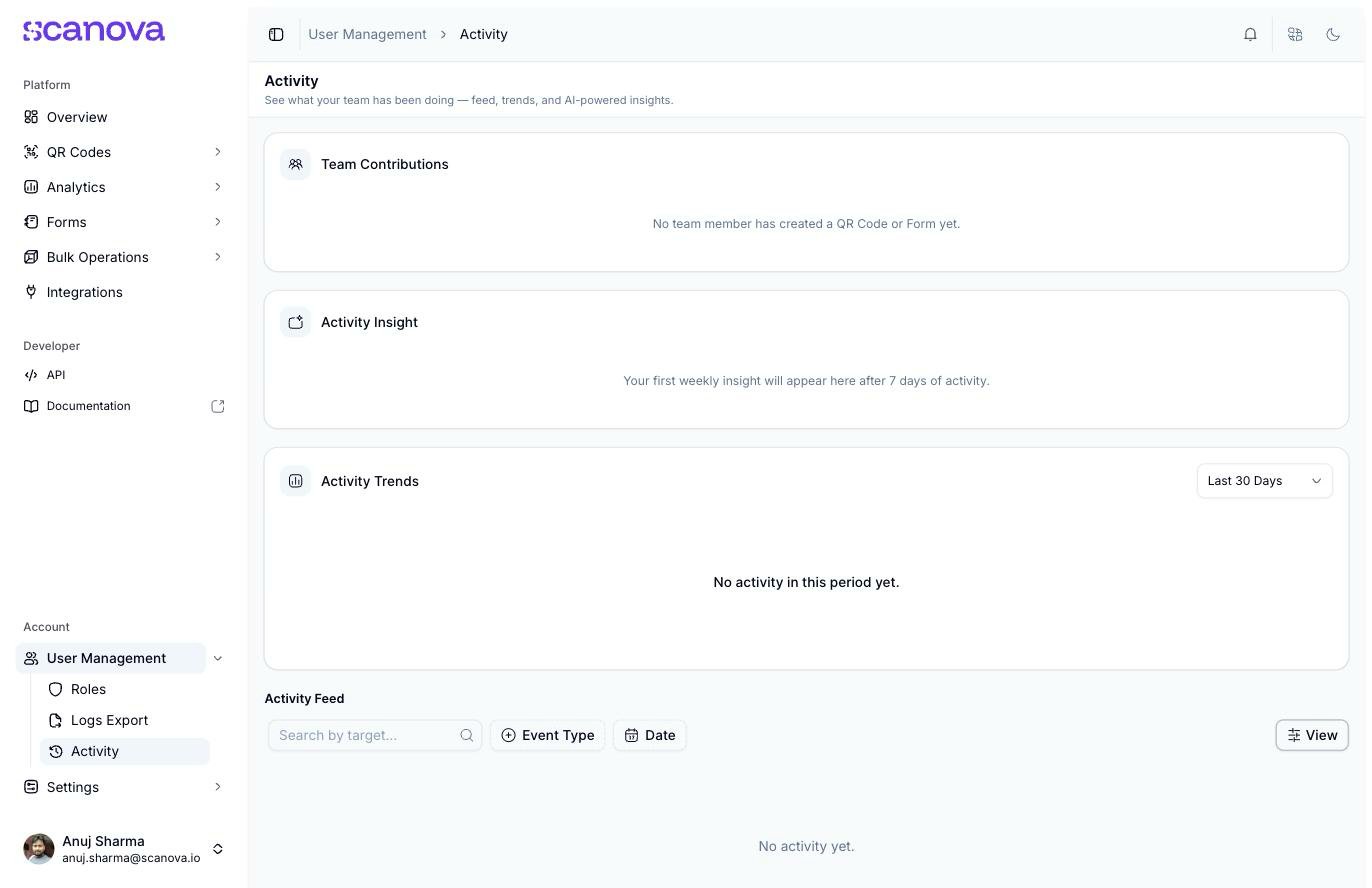
**Activity** (`/users/user-activity`) is a dashboard for what your invited teammates have been doing on the account — a feed of individual events, trend charts, and an AI-generated weekly summary. It sits alongside [Roles](/team/roles-and-permissions) and [Logs Export](/team/logs-export) under **User Management** in the sidebar — all three only appear for accounts with the right plan and permissions.
 This page tracks **shared/invited-user** activity, not the account owner's own actions. Publishing a QR Code as the account owner does not appear in the feed, Team Contributions, or Activity Trends — that matches the page's own framing ("see what your team has been doing"), but it does mean you won't see your own activity here.
## Team Contributions
A card summarizing which teammates have created QR Codes or forms, and how many. With no qualifying activity yet, it reads "No team member has created a QR Code or Form yet."
## Activity Insight
An AI-generated weekly summary of team activity. It needs **7 days of activity** to produce its first summary — until then it reads "Your first weekly insight will appear here after 7 days of activity."
## Activity Trends
A chart of activity volume over time, with a period selector: **Last 7 Days**, **Last 30 Days** (the default), **Last 90 Days**, or **Custom**. With nothing to chart, it reads "No activity in this period yet."
## Activity Feed
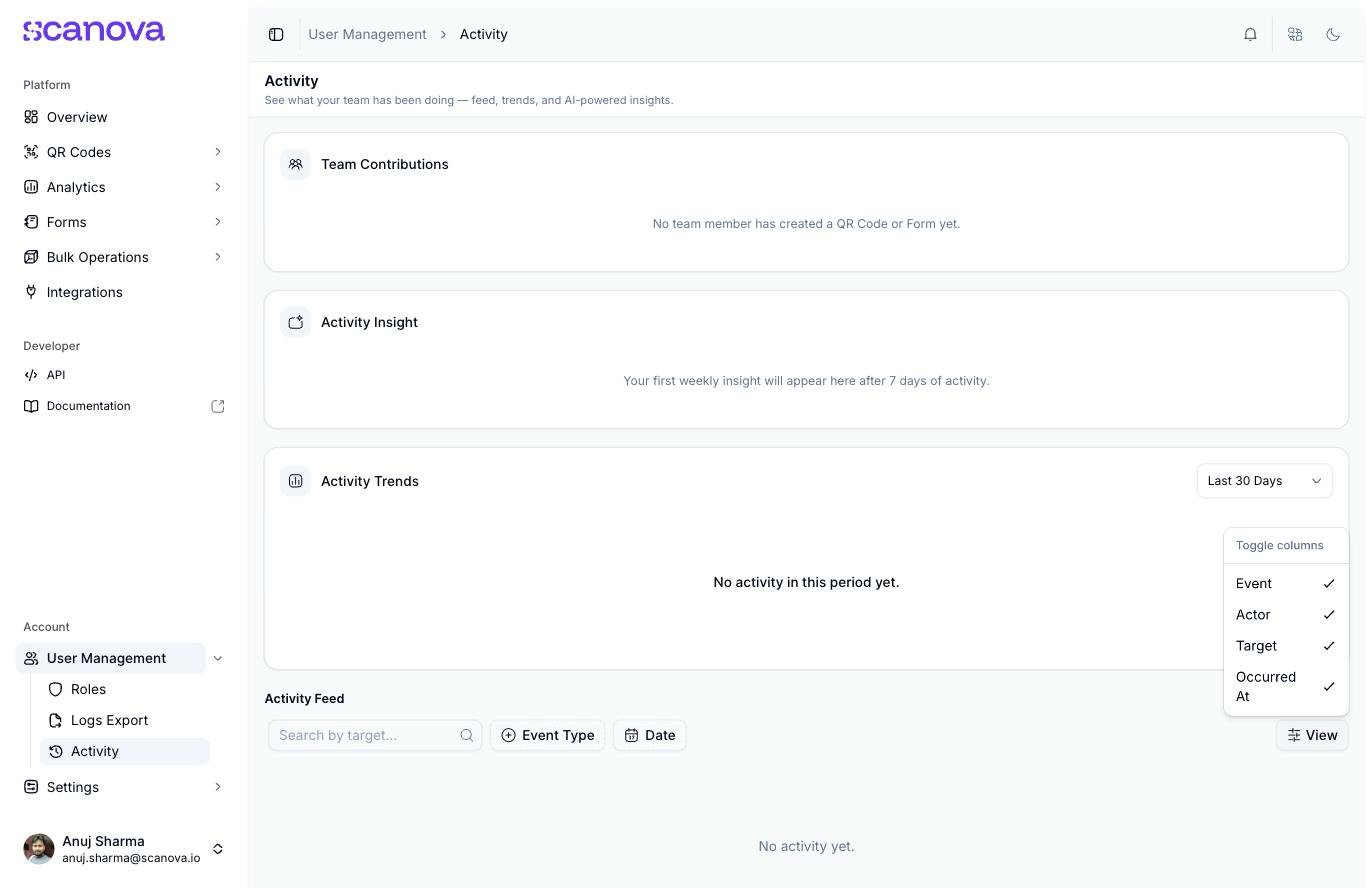
A table of individual events at the bottom of the page, with four columns you can show or hide via the **View** button's **Toggle columns** menu: **Event**, **Actor**, **Target**, and **Occurred At**.
This page tracks **shared/invited-user** activity, not the account owner's own actions. Publishing a QR Code as the account owner does not appear in the feed, Team Contributions, or Activity Trends — that matches the page's own framing ("see what your team has been doing"), but it does mean you won't see your own activity here.
## Team Contributions
A card summarizing which teammates have created QR Codes or forms, and how many. With no qualifying activity yet, it reads "No team member has created a QR Code or Form yet."
## Activity Insight
An AI-generated weekly summary of team activity. It needs **7 days of activity** to produce its first summary — until then it reads "Your first weekly insight will appear here after 7 days of activity."
## Activity Trends
A chart of activity volume over time, with a period selector: **Last 7 Days**, **Last 30 Days** (the default), **Last 90 Days**, or **Custom**. With nothing to chart, it reads "No activity in this period yet."
## Activity Feed
A table of individual events at the bottom of the page, with four columns you can show or hide via the **View** button's **Toggle columns** menu: **Event**, **Actor**, **Target**, and **Occurred At**.
 Filter the feed by:
* **Search by target** — free-text search
* **Event Type** — a checklist of event types: **QR Created**, **QR Updated**, **QR Deleted**, **Login**, **Shared User Login**, **Share Granted**, **Share Revoked**
* **Date** — quick presets (**Today**, **Yesterday**, **This Week**, **Last Week**, **This Month**, **Last Month**) or a custom two-month calendar range, with **Clear**/**Apply** buttons
Several of this page's dropdowns and the date-range calendar render their options invisibly — a rendering issue this docs pass also found on several other pages' popups. The options are present and selectable in principle; if a menu doesn't visibly respond to a click, try a different browser or zoom level, or reload and try again.
## Related
* [Logs Export](/team/logs-export) — download this same underlying activity as a CSV instead of viewing it live
* [Shared users](/team/shared-users) — inviting the teammates whose activity shows up here
* [Roles & permissions](/team/roles-and-permissions) — what each role can see and do on the account
Filter the feed by:
* **Search by target** — free-text search
* **Event Type** — a checklist of event types: **QR Created**, **QR Updated**, **QR Deleted**, **Login**, **Shared User Login**, **Share Granted**, **Share Revoked**
* **Date** — quick presets (**Today**, **Yesterday**, **This Week**, **Last Week**, **This Month**, **Last Month**) or a custom two-month calendar range, with **Clear**/**Apply** buttons
Several of this page's dropdowns and the date-range calendar render their options invisibly — a rendering issue this docs pass also found on several other pages' popups. The options are present and selectable in principle; if a menu doesn't visibly respond to a click, try a different browser or zoom level, or reload and try again.
## Related
* [Logs Export](/team/logs-export) — download this same underlying activity as a CSV instead of viewing it live
* [Shared users](/team/shared-users) — inviting the teammates whose activity shows up here
* [Roles & permissions](/team/roles-and-permissions) — what each role can see and do on the account