> ## Documentation Index
> Fetch the complete documentation index at: https://docs.scanova.io/llms.txt
> Use this file to discover all available pages before exploring further.
# Google 登录
> 使用 Google 登录。
Scanova 允许您使用 Google 账户而非密码来登录或创建账户。Google 会出现在两个地方:作为**登录/注册选项**,以及在没有设置密码的账户上作为**重新确认您身份**的方式。
## 使用 Google 登录或注册
**Continue with Google** 会出现在登录页面(`/auth/login`)和注册页面(`/auth/register`)顶部,位于邮箱/密码字段上方。
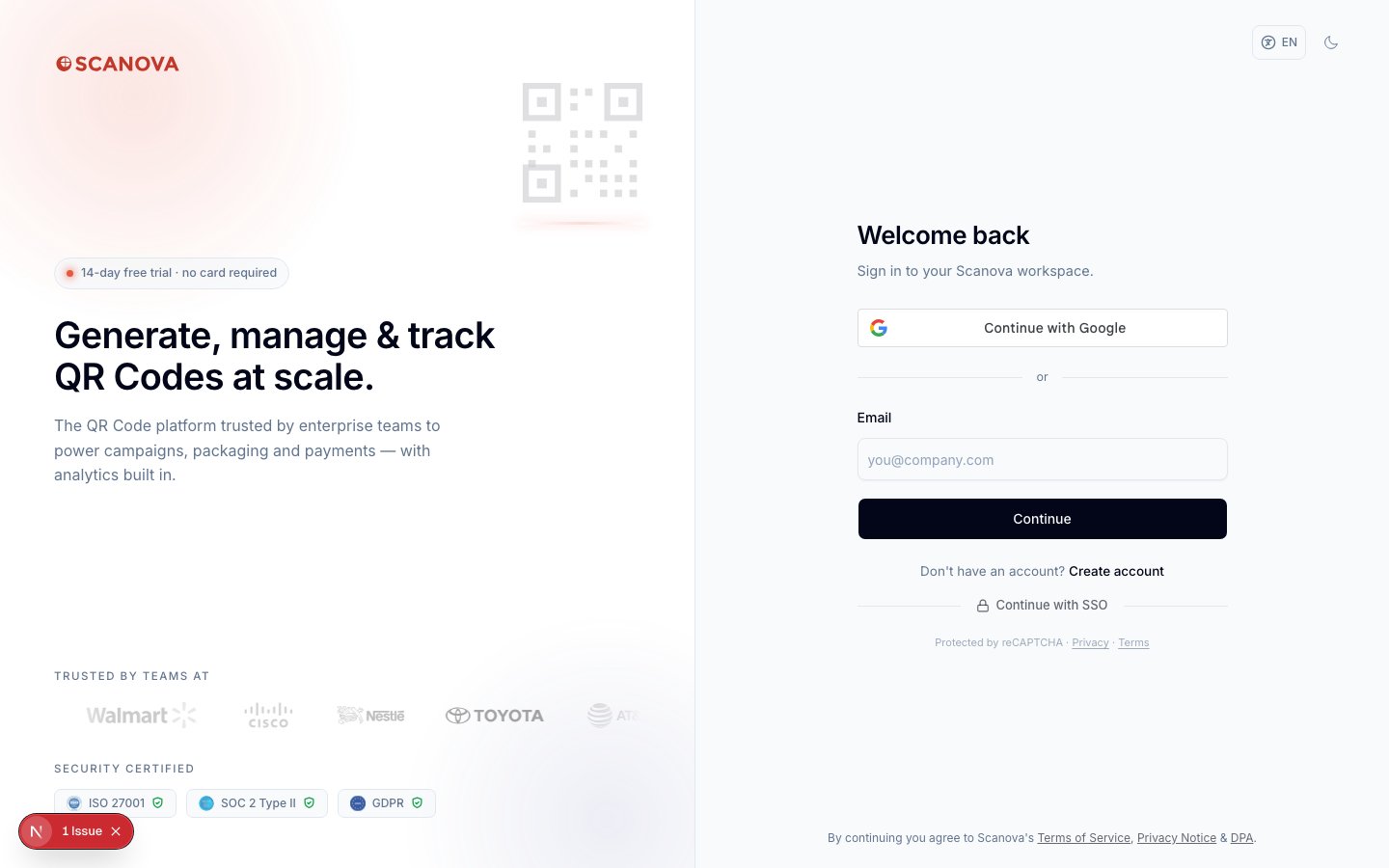
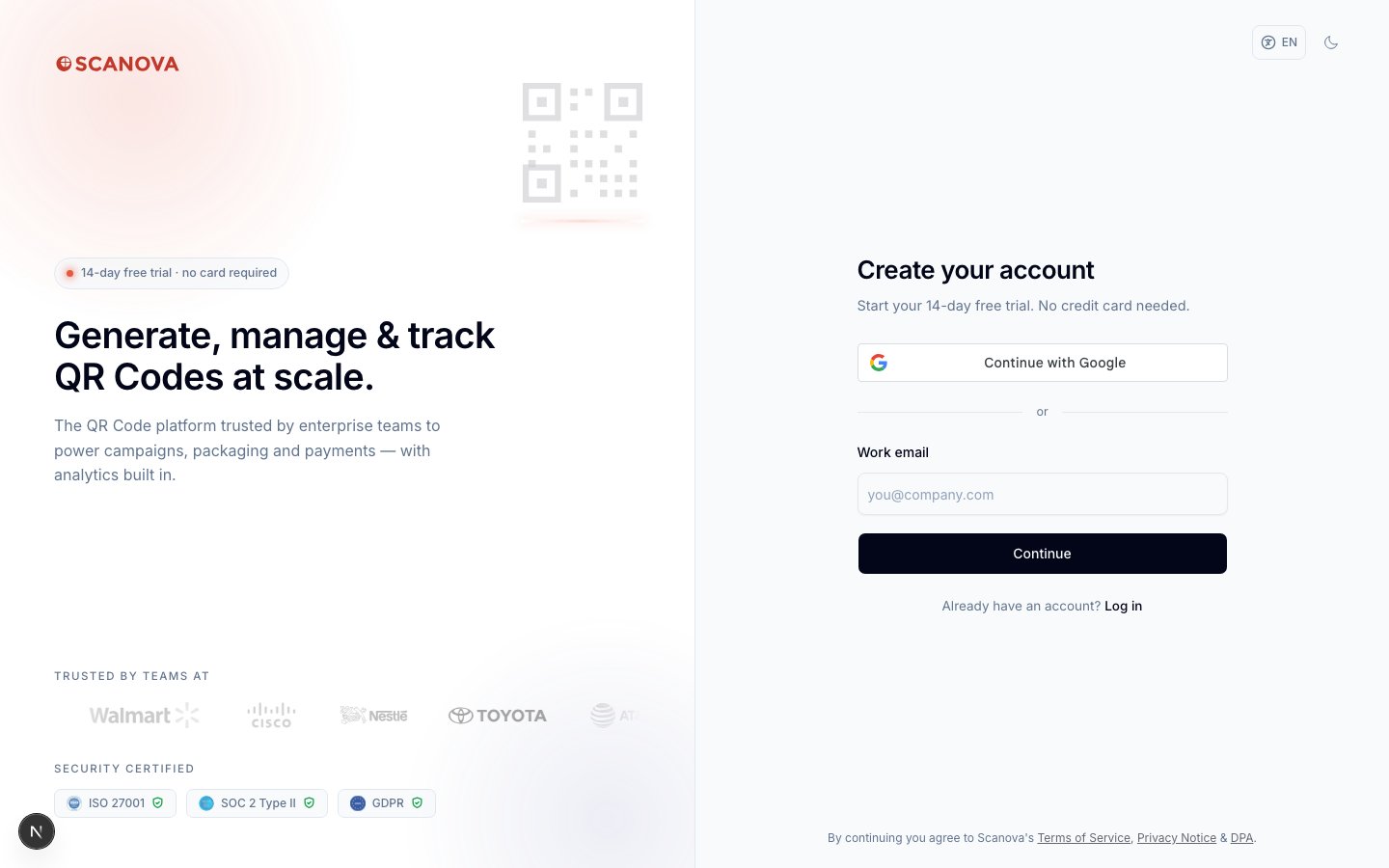 选择 **Continue with Google** 会打开 Google 标准的账户选择/授权流程。如果您还没有 Scanova 账户,系统会使用您 Google 账户的邮箱地址自动创建一个;如果您已经有账户,则会直接登录。
账户设置中没有单独的"连接您的 Google 账户"开关——Google 登录并不是您事后关联到现有密码账户上的东西。它要么是您最初注册或登录时使用的方式,要么用于下文所述的重新认证场景。
## 使用 Google 重新认证
某些敏感操作——更改您的 MFA 方法、更改您的邮箱,或删除您的账户——会先要求您确认身份。如果您的账户设有密码,该确认步骤就是一个密码字段。如果您的账户**没有密码**(因为您注册时或此前一直只使用 Google 登录),Scanova 会在该处显示一个 **Continue with Google** 按钮,让您可以通过 Google 而非您从未设置过的密码来进行确认。
这适用于以下场景:
* [Manage MFA 面板](/zh/authentication/multi-factor-authentication)——在添加、更改默认方法或移除某个方法之前。
* 账户设置中的更改邮箱流程。
* 账户设置中的删除账户流程。
此重新认证按钮是通过阅读源代码(`GoogleReauthButton`)核实的,而非通过实时截图核实——重现该场景需要一个没有密码、仅通过 Google 登录的测试账户,而用于核实本文档集的临时账户设有密码。从功能上讲,它与上文登录/注册流程中的 Google 账户选择器相同,只是用于在操作过程中确认身份,而不是用于开始一个会话。
## 相关内容
* [多因素身份验证](/zh/authentication/multi-factor-authentication) —— Google 重新认证在无密码账户上出现的位置。
* [单点登录](/zh/authentication/sso) —— 一个独立的、面向整个组织的登录选项,有别于个人 Google 账户。
选择 **Continue with Google** 会打开 Google 标准的账户选择/授权流程。如果您还没有 Scanova 账户,系统会使用您 Google 账户的邮箱地址自动创建一个;如果您已经有账户,则会直接登录。
账户设置中没有单独的"连接您的 Google 账户"开关——Google 登录并不是您事后关联到现有密码账户上的东西。它要么是您最初注册或登录时使用的方式,要么用于下文所述的重新认证场景。
## 使用 Google 重新认证
某些敏感操作——更改您的 MFA 方法、更改您的邮箱,或删除您的账户——会先要求您确认身份。如果您的账户设有密码,该确认步骤就是一个密码字段。如果您的账户**没有密码**(因为您注册时或此前一直只使用 Google 登录),Scanova 会在该处显示一个 **Continue with Google** 按钮,让您可以通过 Google 而非您从未设置过的密码来进行确认。
这适用于以下场景:
* [Manage MFA 面板](/zh/authentication/multi-factor-authentication)——在添加、更改默认方法或移除某个方法之前。
* 账户设置中的更改邮箱流程。
* 账户设置中的删除账户流程。
此重新认证按钮是通过阅读源代码(`GoogleReauthButton`)核实的,而非通过实时截图核实——重现该场景需要一个没有密码、仅通过 Google 登录的测试账户,而用于核实本文档集的临时账户设有密码。从功能上讲,它与上文登录/注册流程中的 Google 账户选择器相同,只是用于在操作过程中确认身份,而不是用于开始一个会话。
## 相关内容
* [多因素身份验证](/zh/authentication/multi-factor-authentication) —— Google 重新认证在无密码账户上出现的位置。
* [单点登录](/zh/authentication/sso) —— 一个独立的、面向整个组织的登录选项,有别于个人 Google 账户。