
Pre-designed Logos
These are logo images that cannot have their colors changed. Use these URLs directly in thelogo.url field of your pattern_info object.
| Logo | URL | Preview |
|---|---|---|
| Map | https://qcg-media.scanova.io/assets/auto_design/logos/logos/map.svg |  |
| YouTube | https://qcg-media.scanova.io/assets/auto_design/logos/logos/ytb_.svg |  |
https://qcg-media.scanova.io/assets/auto_design/logos/logos/whatsapp.svg |  | |
https://qcg-media.scanova.io/assets/auto_design/logos/logos/instagram_.svg |  | |
| Twitter/X | https://qcg-media.scanova.io/assets/auto_design/logos/logos/tw_.svg |  |
https://qcg-media.scanova.io/assets/auto_design/logos/logos/fb_.svg |  | |
| Threads | https://qcg-media.scanova.io/assets/auto_design/logos/logos/threads.svg |  |
https://qcg-media.scanova.io/assets/auto_design/logos/logos/lkd_.svg |  | |
| Telegram | https://qcg-media.scanova.io/assets/auto_design/logos/logos/telegram.svg |  |
| PayPal | https://qcg-media.scanova.io/assets/auto_design/logos/logos/paypal.svg |  |
| Bitcoin | https://qcg-media.scanova.io/assets/auto_design/logos/logos/bitcoin.svg |  |
https://qcg-media.scanova.io/assets/auto_design/logos/logos/pinterest.svg |  | |
https://qcg-media.scanova.io/assets/auto_design/logos/logos/wechat.svg |  | |
https://qcg-media.scanova.io/assets/auto_design/logos/logos/reddit.svg |  | |
| Quora | https://qcg-media.scanova.io/assets/auto_design/logos/logos/quora.svg |  |
| Discord | https://qcg-media.scanova.io/assets/auto_design/logos/logos/discord.svg |  |
| Yelp | https://qcg-media.scanova.io/assets/auto_design/logos/logos/yelp.svg |  |
| LINE | https://qcg-media.scanova.io/assets/auto_design/logos/logos/line.svg |  |
| Medium | https://qcg-media.scanova.io/assets/auto_design/logos/logos/medium_.svg |  |
| Tumblr | https://qcg-media.scanova.io/assets/auto_design/logos/logos/tumblr.svg |  |
| Meetup | https://qcg-media.scanova.io/assets/auto_design/logos/logos/meetup.svg |  |
| TikTok | https://qcg-media.scanova.io/assets/auto_design/logos/logos/tiktok.svg |  |
| Apple | https://qcg-media.scanova.io/assets/auto_design/logos/logos/apple.svg |  |
| Meta | https://qcg-media.scanova.io/assets/auto_design/logos/logos/meta.svg |  |
| Snapchat | https://qcg-media.scanova.io/assets/auto_design/logos/logos/snapchat.svg |  |
| Skype | https://qcg-media.scanova.io/assets/auto_design/logos/logos/skype.svg |  |
| iMessage | https://qcg-media.scanova.io/assets/auto_design/logos/logos/message-ios.svg |  |
| Google Messages | https://qcg-media.scanova.io/assets/auto_design/logos/logos/google-message.svg |  |
| Gmail | https://qcg-media.scanova.io/assets/auto_design/logos/logos/gmail.svg |  |
| Call | https://qcg-media.scanova.io/assets/auto_design/logos/logos/call.svg |  |
| FaceTime | https://qcg-media.scanova.io/assets/auto_design/logos/logos/facetime.svg |  |
| App Store | https://qcg-media.scanova.io/assets/auto_design/logos/logos/app-store.svg |  |
| Google Play | https://qcg-media.scanova.io/assets/auto_design/logos/logos/google-play.svg |  |
Pre-designed Icons
Icons can have their colors customized. Use these URLs in thelogo.url field and set the logo.color property to change the icon color.
Note: This is a partial list of available icons. For the complete list, visit the Scanova application or contact support.
| Icon Category | URL | Preview |
|---|---|---|
| URL Icon 1 | https://qcg-media.scanova.io/assets/auto_design/logos/icons/url/1.svg |  |
| URL Icon 2 | https://qcg-media.scanova.io/assets/auto_design/logos/icons/url/2.svg |  |
| Map Icon 1 | https://qcg-media.scanova.io/assets/auto_design/logos/icons/map/1.svg |  |
| Map Icon 2 | https://qcg-media.scanova.io/assets/auto_design/logos/icons/map/2.svg |  |
| Image Icon 1 | https://qcg-media.scanova.io/assets/auto_design/logos/icons/image/1.svg |  |
| Image Icon 2 | https://qcg-media.scanova.io/assets/auto_design/logos/icons/image/2.svg |  |
| Document Icon 1 | https://qcg-media.scanova.io/assets/auto_design/logos/icons/document/1.svg |  |
| Document Icon 2 | https://qcg-media.scanova.io/assets/auto_design/logos/icons/document/2.svg |  |
| Restaurant Fork | https://qcg-media.scanova.io/core/images/restaurant/icon_fork.svg |  |
| Restaurant Menu | https://qcg-media.scanova.io/core/images/restaurant/icon_menu.svg |  |
| Social Media Icon 1 | https://qcg-media.scanova.io/assets/auto_design/logos/icons/sMedia/1.svg |  |
| Social Media Icon 2 | https://qcg-media.scanova.io/assets/auto_design/logos/icons/sMedia/2.svg |  |
| Business Card Icon 1 | https://qcg-media.scanova.io/assets/auto_design/logos/icons/businessCard/1.svg |  |
| Business Card Icon 2 | https://qcg-media.scanova.io/assets/auto_design/logos/icons/businessCard/2.svg |  |
| Wedding Icon 1 | https://qcg-media.scanova.io/assets/auto_design/logos/icons/wedding/1.svg |  |
| Wedding Icon 2 | https://qcg-media.scanova.io/assets/auto_design/logos/icons/wedding/2.svg |  |
| Event Icon 1 | https://qcg-media.scanova.io/assets/auto_design/logos/icons/event/1.svg |  |
| Event Icon 2 | https://qcg-media.scanova.io/assets/auto_design/logos/icons/event/2.svg |  |
| Product Icon 1 | https://qcg-media.scanova.io/assets/auto_design/logos/icons/product/1.svg |  |
| Product Icon 2 | https://qcg-media.scanova.io/assets/auto_design/logos/icons/product/2.svg |  |
| Custom Page Icon 1 | https://qcg-media.scanova.io/assets/auto_design/logos/icons/dynamicText/1.svg |  |
| Custom Page Icon 2 | https://qcg-media.scanova.io/assets/auto_design/logos/icons/dynamicText/2.svg |  |
| App Icon 1 | https://qcg-media.scanova.io/assets/auto_design/logos/icons/app/1.svg |  |
| App Icon 2 | https://qcg-media.scanova.io/assets/auto_design/logos/icons/app/2.svg |  |
| App Icon 4 | https://qcg-media.scanova.io/assets/auto_design/logos/icons/app/4.svg |  |
| App Icon 5 | https://qcg-media.scanova.io/assets/auto_design/logos/icons/app/5.svg |  |
| Audio Icon 1 | https://qcg-media.scanova.io/assets/auto_design/logos/icons/audio/1.svg |  |
| Audio Icon 2 | https://qcg-media.scanova.io/assets/auto_design/logos/icons/audio/2.svg |  |
| Coupon Icon 1 | https://qcg-media.scanova.io/assets/auto_design/logos/icons/coupon/1.svg |  |
| Coupon Icon 2 | https://qcg-media.scanova.io/assets/auto_design/logos/icons/coupon/2.svg |  |
| SMS Icon 1 | https://qcg-media.scanova.io/assets/auto_design/logos/icons/sms/1.svg |  |
| SMS Icon 2 | https://qcg-media.scanova.io/assets/auto_design/logos/icons/sms/2.svg |  |
| Phone Icon 1 | https://qcg-media.scanova.io/assets/auto_design/logos/icons/phoneNumber/1.svg |  |
| Phone Icon 2 | https://qcg-media.scanova.io/assets/auto_design/logos/icons/phoneNumber/2.svg |  |
| Email Icon 1 | https://qcg-media.scanova.io/assets/auto_design/logos/icons/email/1.svg |  |
| Email Icon 2 | https://qcg-media.scanova.io/assets/auto_design/logos/icons/email/2.svg |  |
| Calendar Icon 1 | https://qcg-media.scanova.io/assets/auto_design/logos/icons/calendar/1.svg |  |
| Calendar Icon 2 | https://qcg-media.scanova.io/assets/auto_design/logos/icons/calendar/2.svg |  |
| Business Card Icon 3 | https://qcg-media.scanova.io/assets/auto_design/logos/icons/businessCard/3.svg |  |
| Business Card Icon 4 | https://qcg-media.scanova.io/assets/auto_design/logos/icons/businessCard/4.svg |  |
| WiFi Icon 1 | https://qcg-media.scanova.io/assets/auto_design/logos/icons/wifi/1.svg |  |
| WiFi Icon 2 | https://qcg-media.scanova.io/assets/auto_design/logos/icons/wifi/2.svg |  |
| Text Icon 1 | https://qcg-media.scanova.io/assets/auto_design/logos/icons/text/1.svg |  |
| Text Icon 2 | https://qcg-media.scanova.io/assets/auto_design/logos/icons/text/2.svg |  |
| PayPal Icon 1 | https://qcg-media.scanova.io/assets/auto_design/logos/icons/paypal/1.svg |  |
| PayPal Icon 2 | https://qcg-media.scanova.io/assets/auto_design/logos/icons/paypal/2.svg |  |
| Bitcoin Icon 1 | https://qcg-media.scanova.io/assets/auto_design/logos/icons/bitcoin/1.svg |  |
| Bitcoin Icon 2 | https://qcg-media.scanova.io/assets/auto_design/logos/icons/bitcoin/2.svg |  |
Pre-designed Frames
Frames are decorative borders around QR codes. Use theframe object in your pattern_info with the appropriate id and category values. You can customize colors using primaryColor, secondaryColor, textColor, and bgColor.
Note: The frame configuration examples below show the default colors. You can customize these colors based on your needs.
Document Frames
| Frame Configuration | Preview |
|---|---|
json\n{"id": 1, "primaryColor": "#E88D1B", "secondaryColor": null, "textColor": "#FFFFFF", "bgColor": "#FFFFFF", "category": "document"}\n |  |
json\n{"id": 2, "primaryColor": "#60B7FF", "secondaryColor": "#FDB441", "textColor": "#0C3E61", "bgColor": "#FFFFFF", "category": "document"}\n |  |
json\n{"id": 3, "primaryColor": "#3D6FAA", "secondaryColor": "#53A2FF", "textColor": "#FFFFFF", "bgColor": "#FFFFFF", "category": "document"}\n |  |
json\n{"id": 4, "primaryColor": "#DD2025", "secondaryColor": null, "textColor": "#FFFFFF", "bgColor": "#FFFFFF", "category": "document"}\n |  |
json\n{"id": 5, "primaryColor": "#F7931A", "secondaryColor": null, "textColor": "#FFFFFF", "bgColor": "#FFFFFF", "category": "document"}\n |  |
json\n{"id": 6, "primaryColor": "#23BEA0", "secondaryColor": null, "textColor": "#000000", "bgColor": "#FFFFFF", "category": "document"}\n | 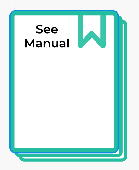 |
json\n{"id": 7, "primaryColor": "#624DE9", "secondaryColor": "#9A89FF", "textColor": "#FFFFFF", "bgColor": "#FFFFFF", "category": "document"}\n |  |
json\n{"id": 8, "primaryColor": "#BB262F", "secondaryColor": null, "textColor": "#FFFFFF", "bgColor": "#FFFFFF", "category": "document"}\n |  |
json\n{"id": 9, "primaryColor": "#278B91", "secondaryColor": "#70BDC1", "textColor": "#FFFFFF", "bgColor": "#FFFFFF", "category": "document"}\n | 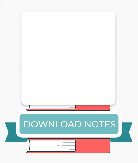 |
json\n{"id": 10, "primaryColor": "#FFD8C5", "secondaryColor": "#0B5B84", "textColor": "#000000", "bgColor": "#FFFFFF", "category": "document"}\n | 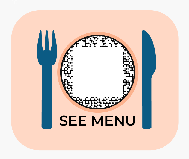 |
Dynamic vCard Frames
| Frame Configuration | Preview |
|---|---|
json\n{"id": 1, "primaryColor": "#11223B", "secondaryColor": null, "textColor": "#000000", "bgColor": "#FFFFFF", "category": "dynamicVCard"}\n |  |
json\n{"id": 2, "primaryColor": null, "secondaryColor": null, "textColor": "#0F8BB0", "bgColor": "#FFFFFF", "category": "dynamicVCard"}\n | 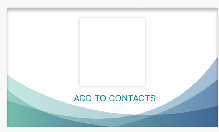 |
Restaurant Frames
| Frame Configuration | Preview |
|---|---|
json\n{"id": 1, "primaryColor": "#c0392b", "secondaryColor": "#041645", "textColor": "#FFFFFF", "bgColor": "#FFFFFF", "category": "restaurant"}\n |  |
json\n{"id": 2, "primaryColor": "#252538", "secondaryColor": null, "textColor": "#FFFFFF", "bgColor": "#FFFFFF", "category": "restaurant"}\n |  |
json\n{"id": 3, "primaryColor": "#c0392b", "secondaryColor": null, "textColor": "#FFFFFF", "bgColor": "#FFFFFF", "category": "restaurant"}\n | 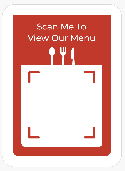 |
json\n{"id": 4, "primaryColor": "#c03a2b", "secondaryColor": "#4f4f4f", "textColor": "#FFFFFF", "bgColor": "#FFFFFF", "category": "restaurant"}\n | 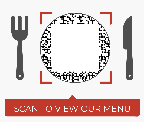 |
Event Frames
| Frame Configuration | Preview |
|---|---|
json\n{"id": 1, "primaryColor": "#EA3368", "secondaryColor": null, "textColor": "#FFFFFF", "bgColor": "#FFFFFF", "category": "event"}\n | 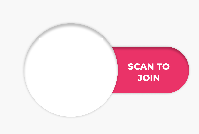 |
json\n{"id": 2, "primaryColor": null, "secondaryColor": null, "textColor": "#000000", "bgColor": "#FFFFFF", "category": "event"}\n |  |
json\n{"id": 3, "primaryColor": "#F6958E", "secondaryColor": null, "textColor": "#FFFFFF", "bgColor": "#FFFFFF", "category": "event"}\n |  |
json\n{"id": 4, "primaryColor": "#FFFFFF", "secondaryColor": null, "textColor": "#000000", "bgColor": "#FFFFFF", "category": "event"}\n | 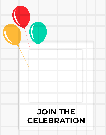 |
json\n{"id": 5, "primaryColor": "#53A2FF", "secondaryColor": null, "textColor": "#FFFFFF", "bgColor": "#FFFFFF", "category": "event"}\n |  |
json\n{"id": 6, "primaryColor": "#F9A137", "secondaryColor": "#FF6060", "textColor": null, "bgColor": "#FFFFFF", "category": "event"}\n |  |
URL Frames
| Frame Configuration | Preview |
|---|---|
json\n{"id": 1, "primaryColor": "#FF7222", "secondaryColor": "#624DE9", "textColor": "#FFFFFF", "bgColor": "#FFFFFF", "category": "url"}\n |  |
json\n{"id": 2, "primaryColor": "#FF7C7C", "secondaryColor": null, "textColor": "#FFFFFF", "bgColor": "#FFFFFF", "category": "url"}\n | 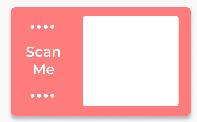 |
json\n{"id": 3, "primaryColor": "#3D6FAA", "secondaryColor": "#53A2FF", "textColor": "#FFFFFF", "bgColor": "#FFFFFF", "category": "url"}\n |  |
json\n{"id": 4, "primaryColor": "#9B4819", "secondaryColor": null, "textColor": "#FFFFFF", "bgColor": "#FFFFFF", "category": "url"}\n | 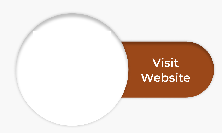 |
json\n{"id": 5, "primaryColor": "#C03232", "secondaryColor": "#F9AA4B", "textColor": null, "bgColor": "#FFFFFF", "category": "url"}\n |  |
json\n{"id": 6, "primaryColor": "#AC2929", "secondaryColor": null, "textColor": null, "bgColor": "#FFFFFF", "category": "url"}\n | 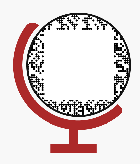 |
json\n{"id": 7, "primaryColor": "#FF375F", "secondaryColor": null, "textColor": null, "bgColor": "#FFFFFF", "category": "url"}\n | 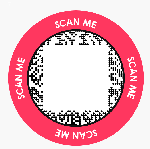 |
json\n{"id": 8, "primaryColor": null, "secondaryColor": null, "textColor": "#FFFFFF", "bgColor": "#FFFFFF", "category": "url"}\n | 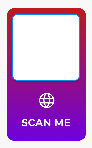 |
json\n{"id": 9, "primaryColor": "#03B8AD", "secondaryColor": "#FF6060", "textColor": "#FFFFFF", "bgColor": "#FFFFFF", "category": "url"}\n | 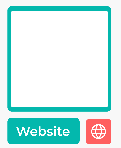 |
json\n{"id": 10, "primaryColor": "#FFB800", "secondaryColor": null, "textColor": "#FFFFFF", "bgColor": "#FFFFFF", "category": "url"}\n |  |
Note: Due to the large number of frame options, we’ve shown a selection above. For complete frame listings including
image, map, sMedia, and wedding categories, visit the Scanova application or contact support. All frames follow the same JSON structure with id, primaryColor, secondaryColor, textColor, bgColor, and category properties.Usage Examples
Using a Logo
Using an Icon with Custom Color
Using a Frame
Visual Reference Guide
Data Pattern Shapes
The following table shows all available data pattern shapes:| Pattern Value | Description | Preview |
|---|---|---|
Default | Classic square modules |  |
Round | Circular modules |  |
RoundedCorners | Squares with rounded corners |  |
RotatedSquares | Rotated square modules |  |
connectedCircles | Connected circular pattern |  |
Newone1 | Custom pattern style 1 |  |
Newone3 | Custom pattern style 3 |  |
circularDiagonal | Circular diagonal pattern |  |
lightCircle | Light circular pattern |  |
lightSquare | Light square pattern |  |
lightRoundedCorners | Light rounded corner squares |  |
lightCircleInSquare | Light circle in square pattern |  |
Eye Shapes
The following table shows all available eye shapes for the corner finders:| Shape Value | Description | Preview |
|---|---|---|
Shape0 | Classic square eye |  |
Shape1 | Rounded square eye |  |
Shape2 | Circle inside a square |  |
Shape3 | Circle inside a rounded square |  |
Shape4 | Circle |  |
Shape5 | Triangle eye |  |
Shape6 | Hexagon eye |  |
Shape7 | Custom eye shape 7 |  |
Shape8 | Custom eye shape 8 |  |
Shape9 | Custom eye shape 9 |  |
Shape10 | Custom eye shape 10 |  |
Shape15 | Custom eye shape 15 |  |