

/subscription) is where you manage your plan, renewal, payment method, and usage. It’s reachable from the sidebar and has four tabs: Overview, Plans, Billing, and Payment History. This page covers the Overview tab and Payment History; for upgrading or downgrading your plan, see Upgrading your plan.
There is no separate AI Credits tab. Navigating to
/subscription/credits redirects back to Overview — AI credit allowances sit within your plan’s limits rather than on a tab of their own.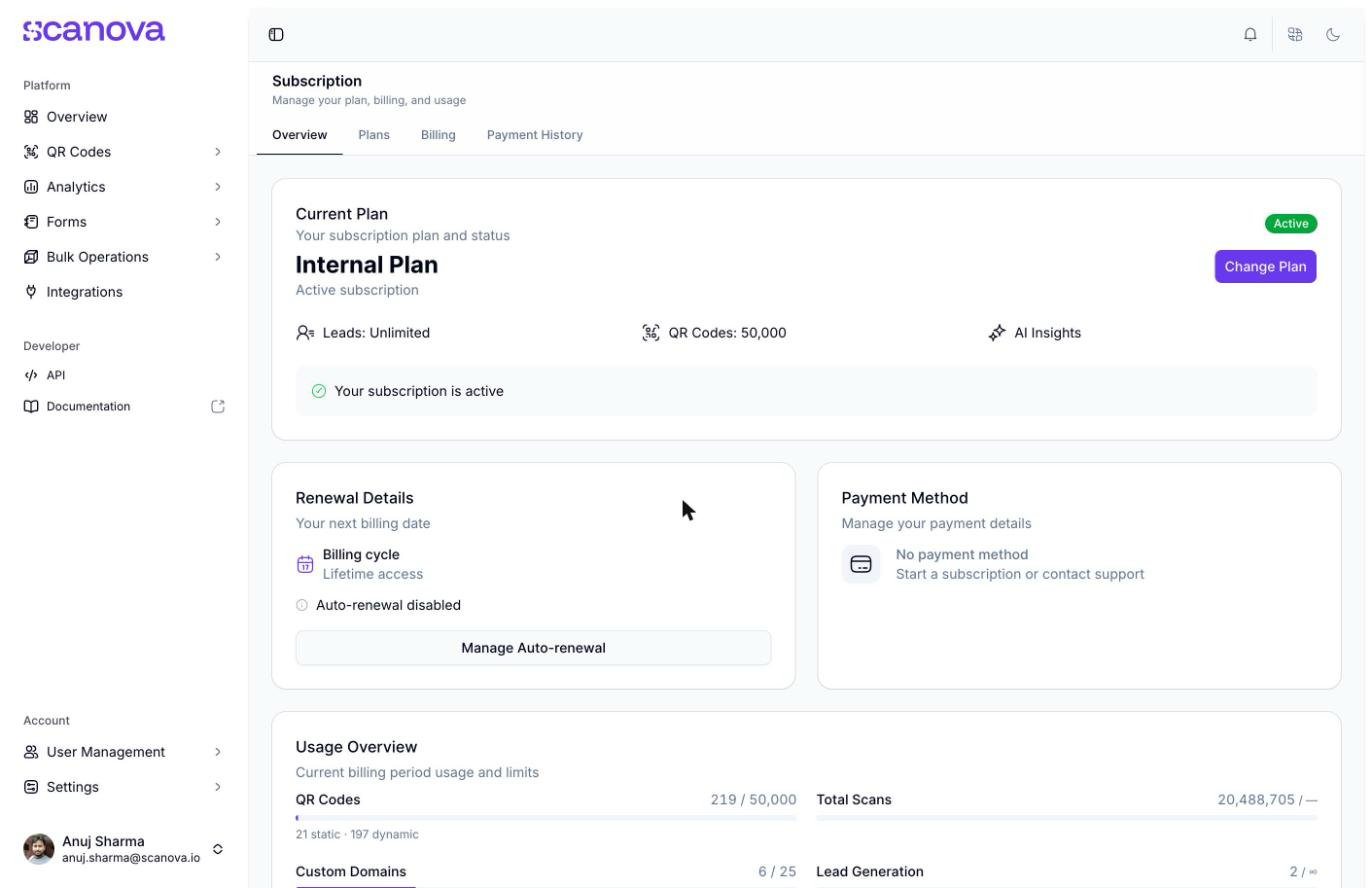
The Subscription Overview tab
Current Plan
The Current Plan card shows your plan name (e.g. Pro Plan), an Active status badge, and headline limits for that plan (leads, QR Codes, AI Insights). If your subscription has an end date, a banner below states it (e.g. “Subscription will end on {date}”). Change Plan takes you to the plan picker described in Upgrading your plan.Renewal Details
This card shows your billing cycle and expiry date, plus whether Auto-renewal is enabled or disabled. Click Manage Auto-renewal to open the auto-renewal dialog.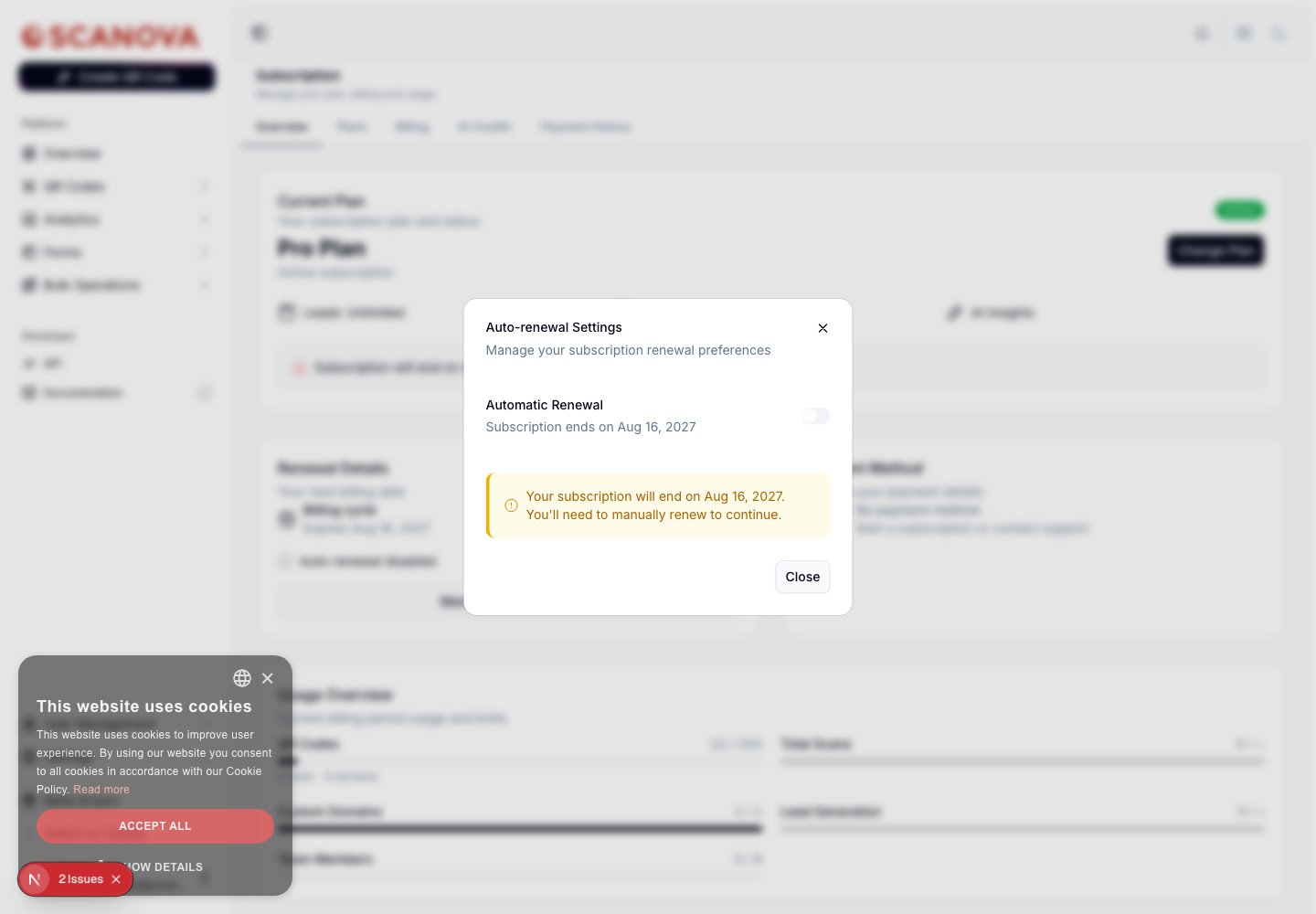
The Auto-renewal Settings dialog
The toggle in this dialog only turns auto-renewal off — once it’s off, the switch is disabled here, so re-enabling auto-renewal isn’t done from this dialog (renew or resubscribe from the Plans tab instead).
On a lifetime/non-expiring plan, this dialog shows a simplified message instead — “You’re on a lifetime plan. Your subscription never expires and auto-renewal doesn’t apply.” — with just a Close button, since there’s nothing to renew or cancel. The toggle/warning described above applies to plans with a real expiry date.
Payment Method
This card shows the payment method on file — a card (masked digits and expiry), UPI ID, wallet, or bank mandate — or No payment method if you haven’t added one yet (for example, if your plan was granted without going through checkout).Usage Overview
This card tracks your current billing period’s consumption against your plan’s limits with a progress bar per resource:- QR Codes — total used out of your plan limit, broken down into static and dynamic counts underneath
- Total Scans — scans recorded this period (unlimited on plans without a scan cap)
- Custom Domains — domains connected out of your plan’s allowance
- Team Members — seats used out of your plan’s allowance
- Lead Generation — leads captured this period (unlimited on plans without a cap)
Billing History
Click View Billing History at the bottom of the Overview tab (or the Payment History tab directly) to see your transaction log at/subscription/history.
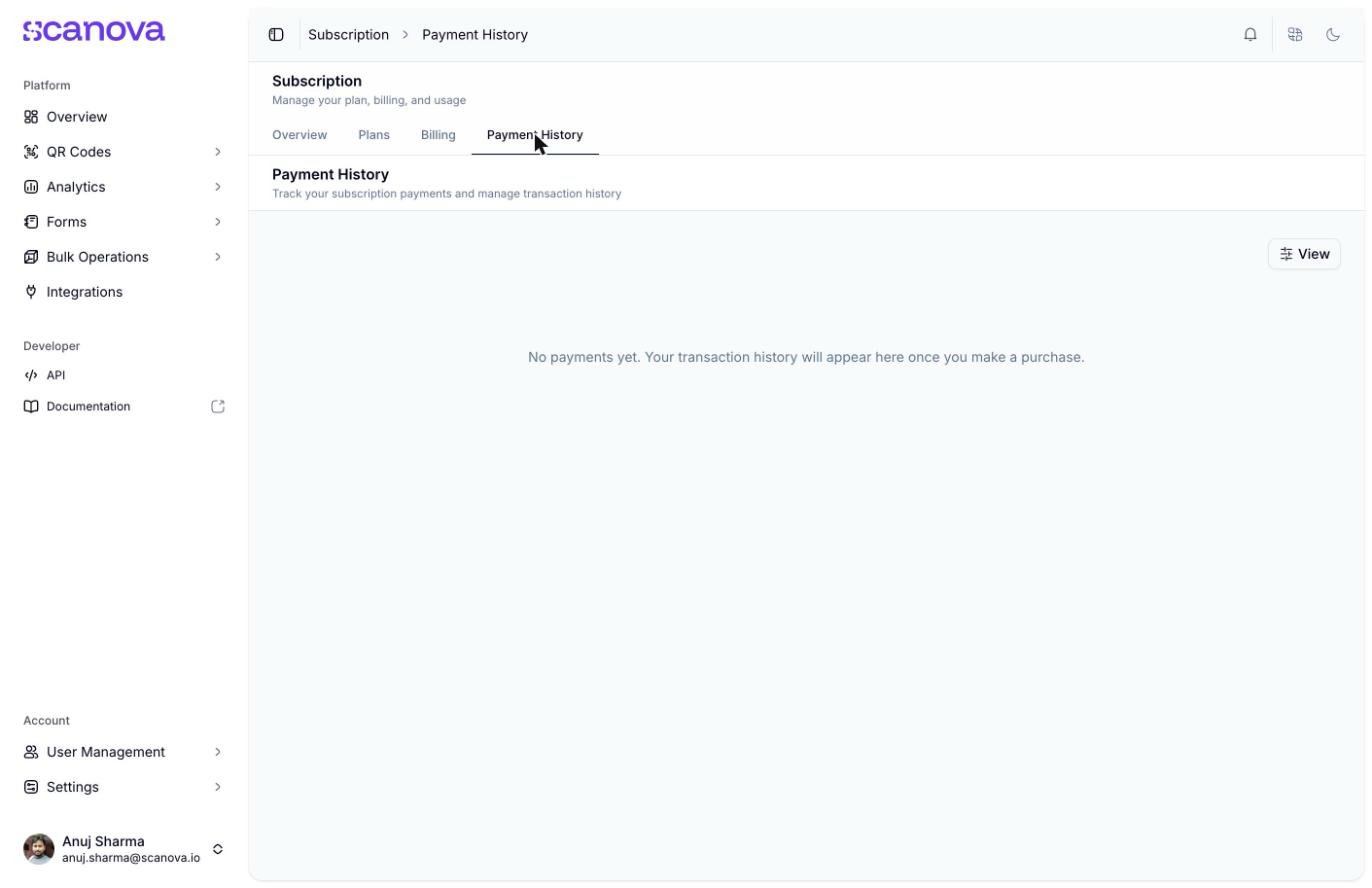
The Payment History page, empty for an account with no past transactions
Other tabs on this page
One additional tab lives alongside Overview and Payment History:-
Billing (
/subscription/billing) — your billing address and tax details (for example, a GST number in India) used on invoices and receipts, separate from your payment method. With no address on file, this shows a No Billing Information empty state with an Add Billing Information button; once set, it shows a Current Billing Information card (name, street address, city, state/province, postal code, country, and a “Last updated” date) with an Edit Billing Information button instead.A separate Billing Contact Email section below lets you add one additional email address to receive billing emails (invoices, payment-failure alerts) alongside the account owner, who always receives them regardless.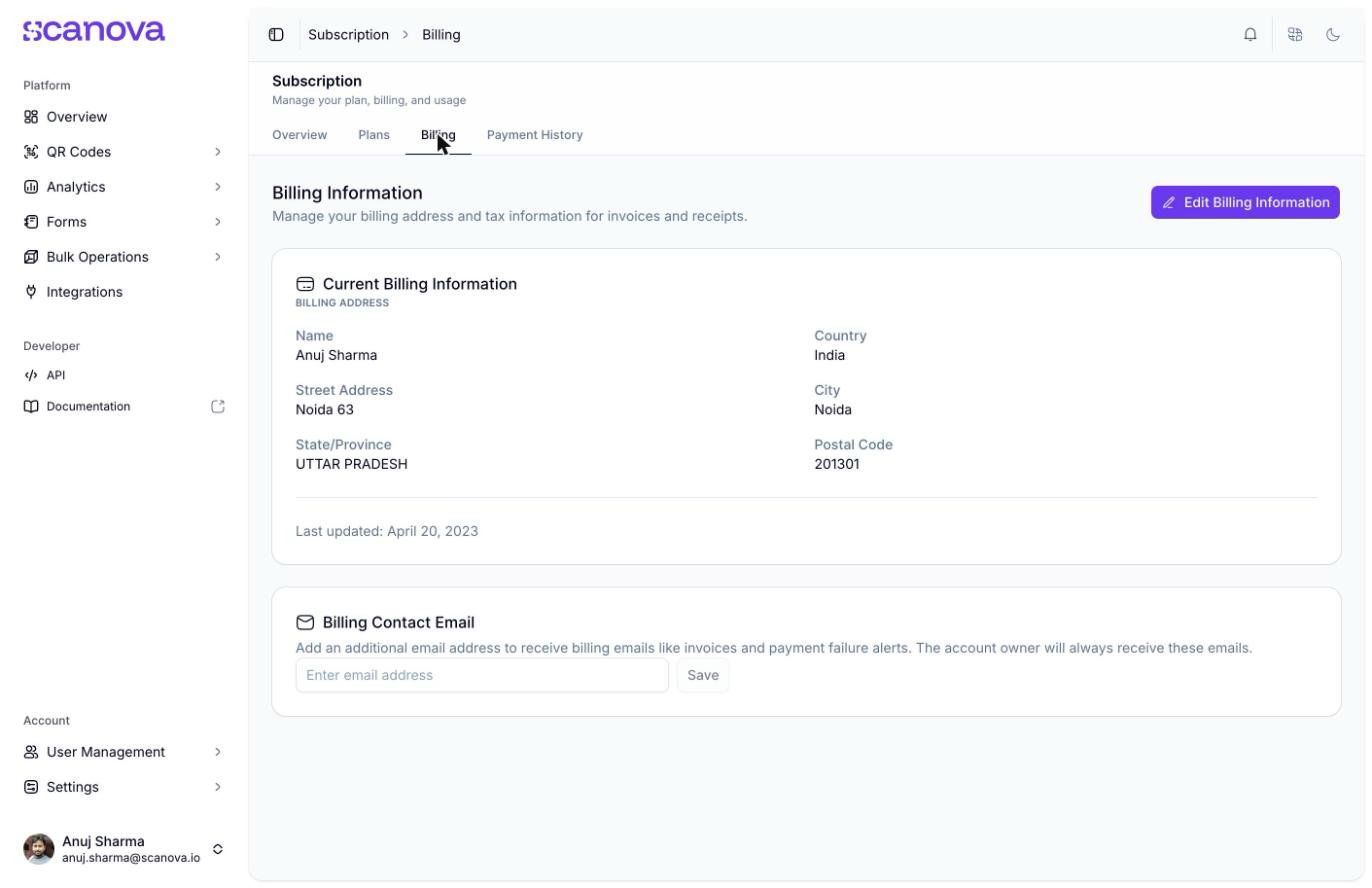
The Billing tab with a billing address already on file
Related
- Upgrading your plan — comparing plans, add-ons, and how downgrades are blocked when usage exceeds a lower tier’s limits
- Shared users — managing the team members counted against the Team Members usage bar above
- Email preferences — controls whether you receive the Billing and Payments and Subscription Reminders emails referenced elsewhere in Scanova