

/support) is Scanova’s in-app help hub — a single page combining FAQ search, live chat, phone numbers, a demo video, and a link out to the full documentation and knowledge base.
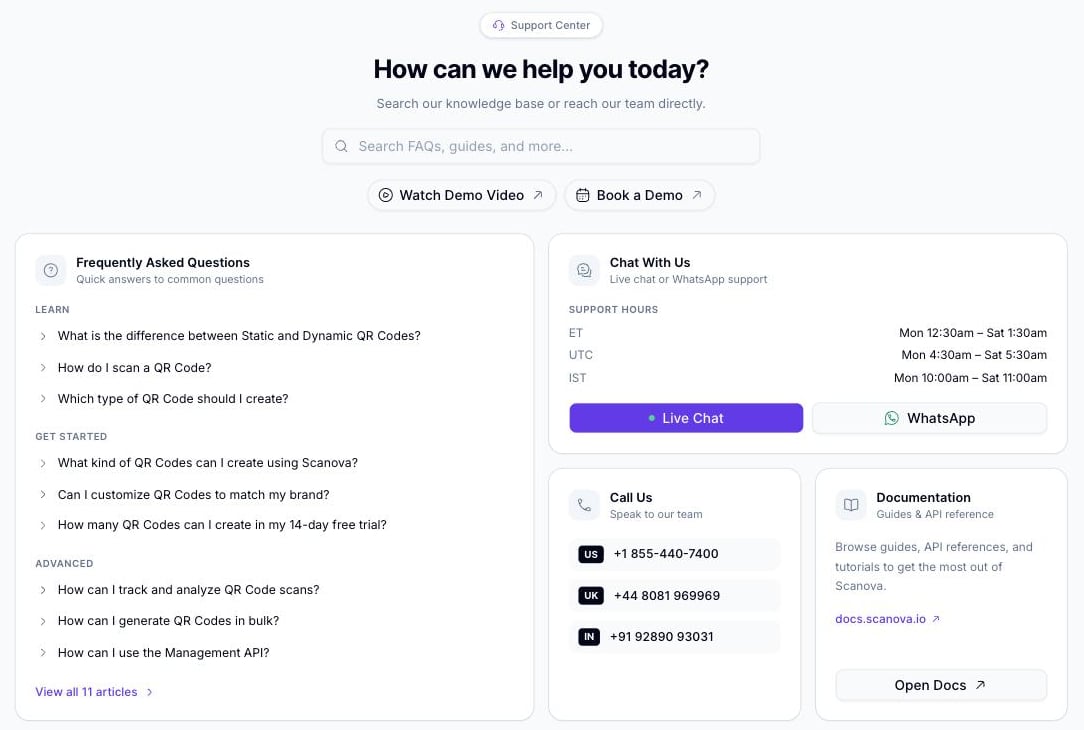
The Support Center
Searching the knowledge base
The search bar at the top queries Scanova’s knowledge base directly (support.scanova.io) as you type, with a short debounce. Results appear in a dropdown below the search bar; selecting one opens the full article in a side drawer without leaving the page.Frequently Asked Questions
The FAQ card shows three questions each from three categories — Learn, Get Started, and Advanced — as a quick-reference set:
Selecting any question opens its full answer in the same side drawer used for search results. View all {N} articles at the bottom of the card links out to the full FAQ index on
support.scanova.io.
Chat With Us
This card lists support hours in three time zones and two ways to reach a live person:- Live Chat opens an embedded chat widget. If the widget cannot load, the button surfaces a message instead — “Live chat isn’t available right now. Please reach us on WhatsApp or email below.” — so you are pointed at another channel rather than left with a dead click.
- WhatsApp opens
wa.mewith a phone number chosen automatically based on the current time in India Standard Time — a different WhatsApp line covers each of three IST shift windows
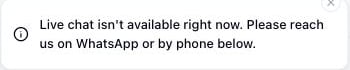
The fallback toast shown when the Live Chat widget isn't available
Call Us
Three phone numbers, one per region:
Each number is a
tel: link — selecting it on a phone or a device with calling capability dials it directly.
Documentation
Links out todocs.scanova.io — the same documentation site this page belongs to.
Other quick actions
- Watch Demo Video — opens a YouTube walkthrough in a new tab
- Book a Demo — opens Scanova’s Cal.com scheduling link in a new tab
Related
- Multi-factor authentication — if you’re locked out of your account rather than looking for product help, start there before contacting support
- Troubleshooting and FAQ — curated answers to common issues, distinct from the in-app FAQ search above