

/qr/create), alongside Quick Code and Build a Page. Instead of assembling a landing page block-by-block, you describe what you want in plain text and AI generates the page’s blocks and copy for you to refine or publish as-is.
This page covers the Create QR Code entry point and prompt screen only. For what happens after you submit a prompt — the chat-based generation flow, refining the result, the editor, AI credits, and publishing — see AI Studio, which documents a real generation verified end to end.
What the hub shows
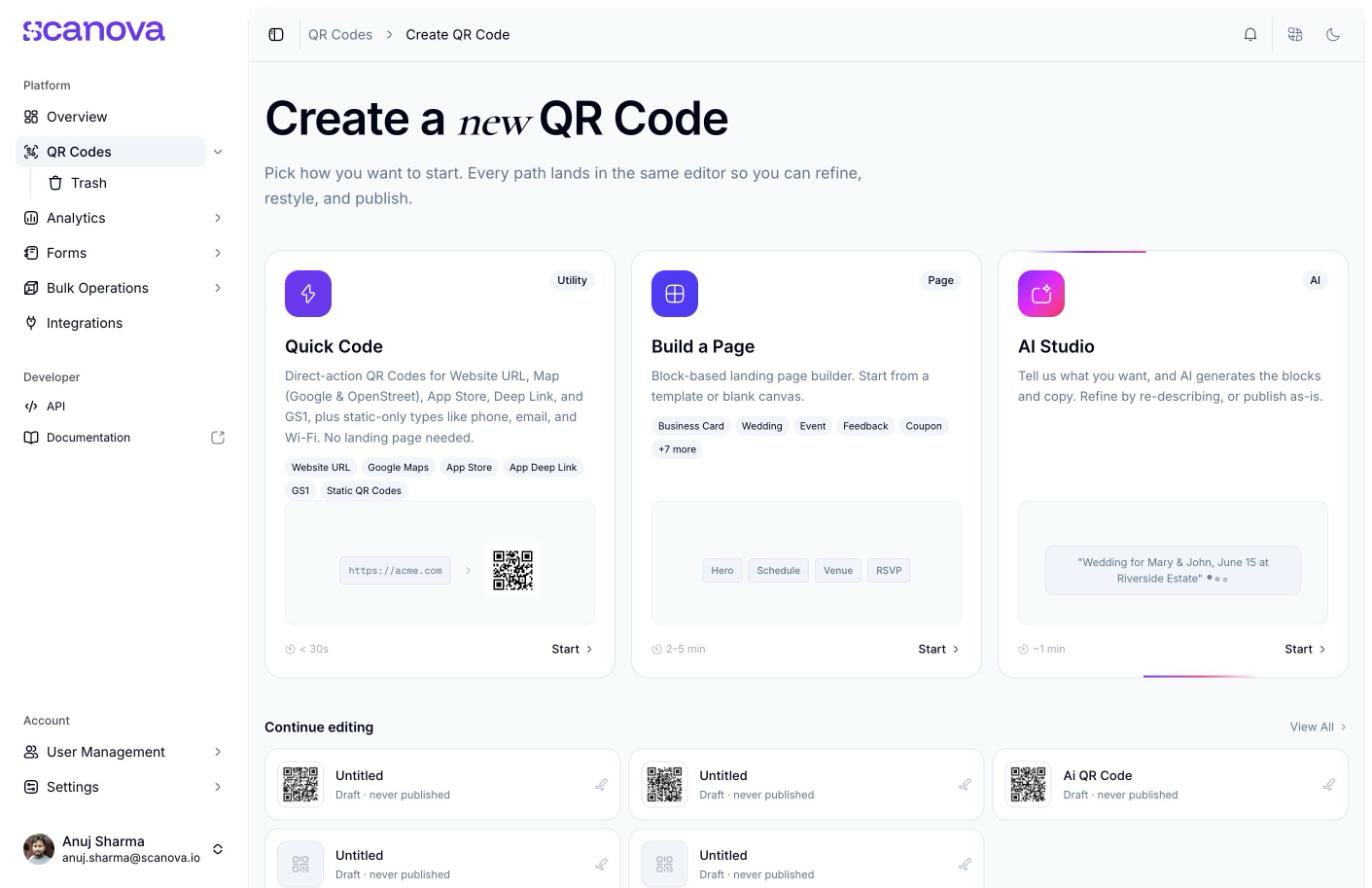
On the Create QR Code hub, the AI Studio card reads:Tell us what you want, and AI generates the blocks and copy. Refine by re-describing, or publish as-is.with a sample prompt shown as placeholder text — “Wedding for Mary & John, June 15 at Riverside Estate” — and an estimated generation time of about 1 minute, badged AI.
The AI Studio card on the Create QR Code hub
Plan gating varies by account
Access depends on your plan. Where AI Studio is included, the card shows a plain Start button. Where it is not, the card is locked, Start is replaced by Upgrade, and
/qr/new/ai redirects to a paywall screen. If you see the lock and expect otherwise, check your plan’s feature list or contact support.The prompt screen
Clicking Start on an unlocked account opens the page builder directly at/qr/new/landing?category=ai, with a dedicated AI Studio · AI Page panel in place of the usual Blocks list:
- A Describe Your Page heading and prompt: “Tell the AI what kind of landing page you need and it will generate one instantly.”
- A row of example-prompt chips to click instead of typing your own: Event, Wedding, Feedback, Product Launch, Restaurant, Portfolio, Lead Generation, App Promotion
- A text box at the bottom of the panel — “Describe the page you want to create…” — with a submit arrow, and a disclaimer: “AI can make mistakes. Check important info before publishing.”
- The canvas itself starts empty, prompting “Describe your page in the sidebar — AI will generate blocks based on your prompt and populate this page.”
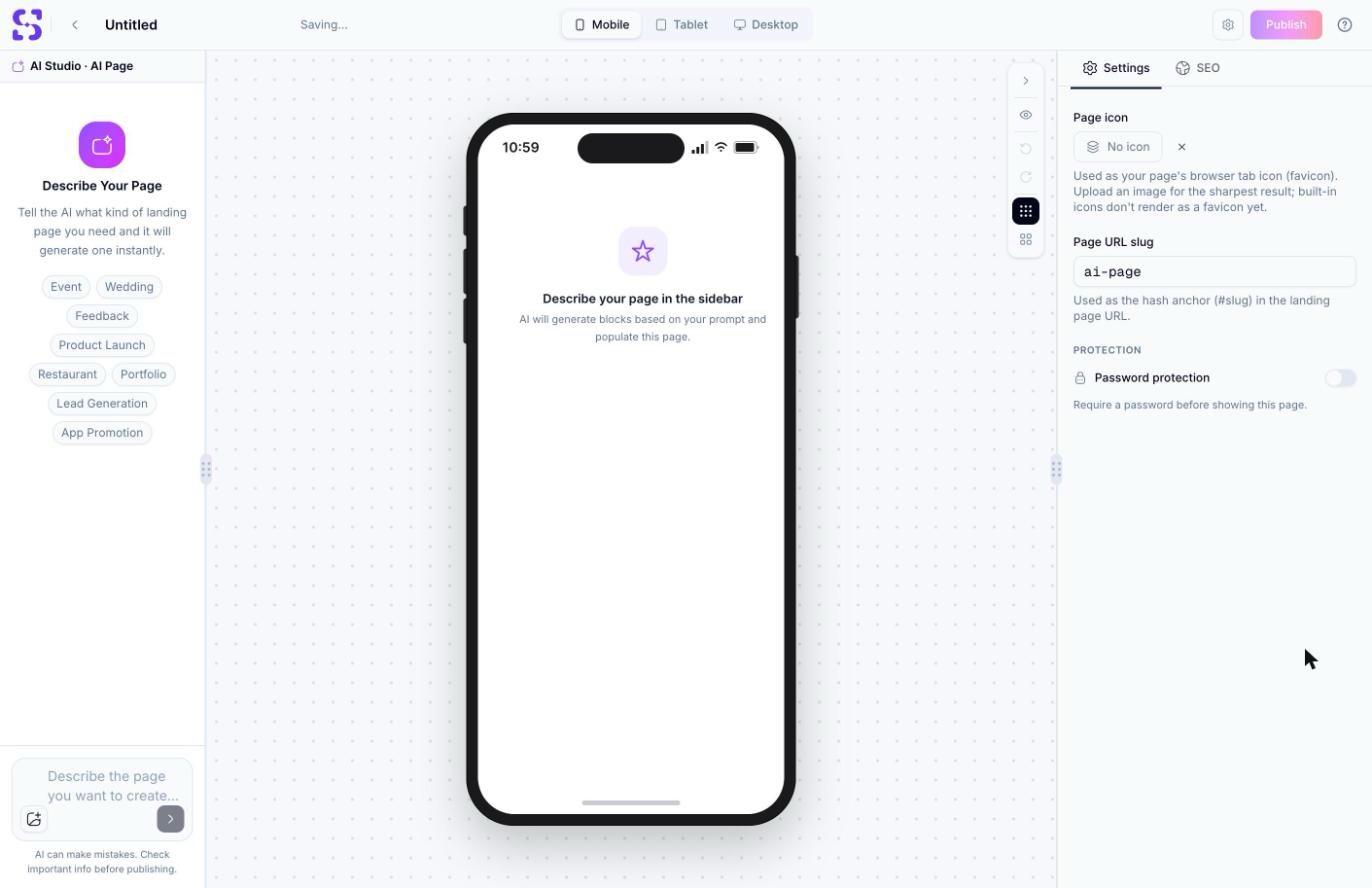
The AI Studio prompt screen, before any prompt has been submitted
ai-page), and Password protection — confirming this really is a normal page-builder QR Code (Custom Page category) with an AI-assisted authoring step in front of it, not a separate product.
What happens after you submit a prompt
See AI Studio for the full, verified walkthrough: the AI’s clarifying questions when a prompt is too vague, refining the result with follow-up messages, the AI Credits meter, the editor’s settings panel, and publishing.A generated page lands in the same block-based Page Builder used by Build a Page — the Settings panel above is identical to what Build a Page shows, and the URL confirms the underlying category is the same Custom Page (
category=ai is only used before generation to select the AI Studio entry point).Creating a page via the API
AI Studio produces a landing page, which the API represents the same way Build a Page does — as a Custom Page (category9) QR Code rather than a Quick Code category. There’s no separate “AI” category: the AI-assisted authoring happens in the dashboard UI, not as a distinct API operation. See Create QR Code for the request schema and Category List for the full category mapping.
Related
- AI Studio — the full generation flow, from your first prompt through publishing
- Quick Code vs. full Page — how AI Studio compares to Quick Code and manual Build a Page
- Page Builder overview — the block-based editor an AI-generated page lands in for further edits
- Templates — the manual alternative to AI generation: start from a pre-built template instead