

/users/user-roles), and the same role list drives the Choose Role dropdown in the Invite Users drawer.
The Roles and Activity items under User Management only appear in the sidebar for accounts with the right plan and permissions — see Custom roles are plan-gated below for what that looks like when they’re hidden.
Default system roles
Every account starts with five built-in roles: Viewer, Manager, Admin, Analyst, and Billing Manager.The Choose Role dropdown isn’t a fixed list — it shows the five system roles plus every custom role your account has created (see Custom roles are plan-gated below), so its exact contents vary by account.
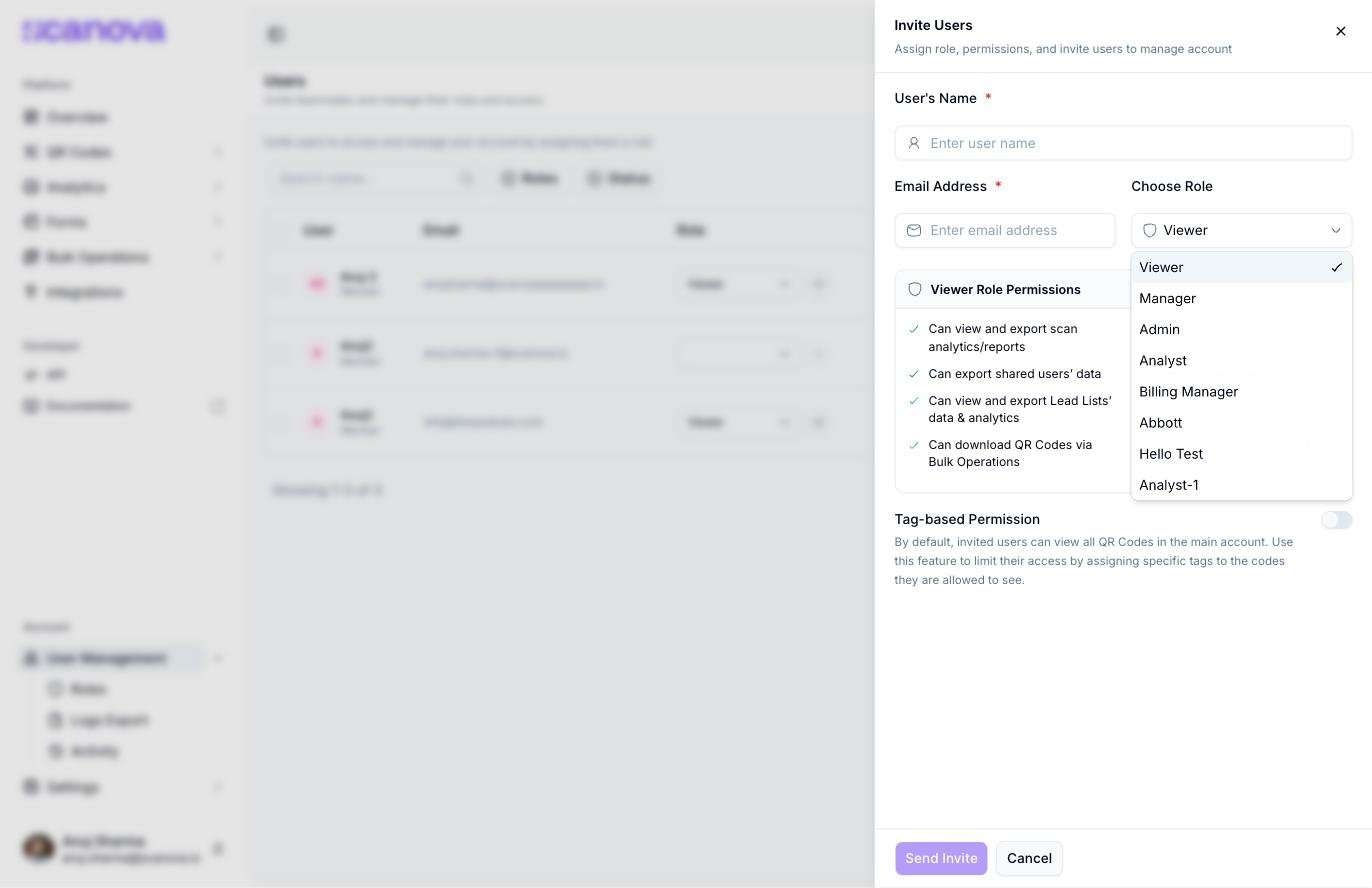
The Choose Role dropdown in the Invite Users drawer, listing the five system roles followed by this account's custom roles
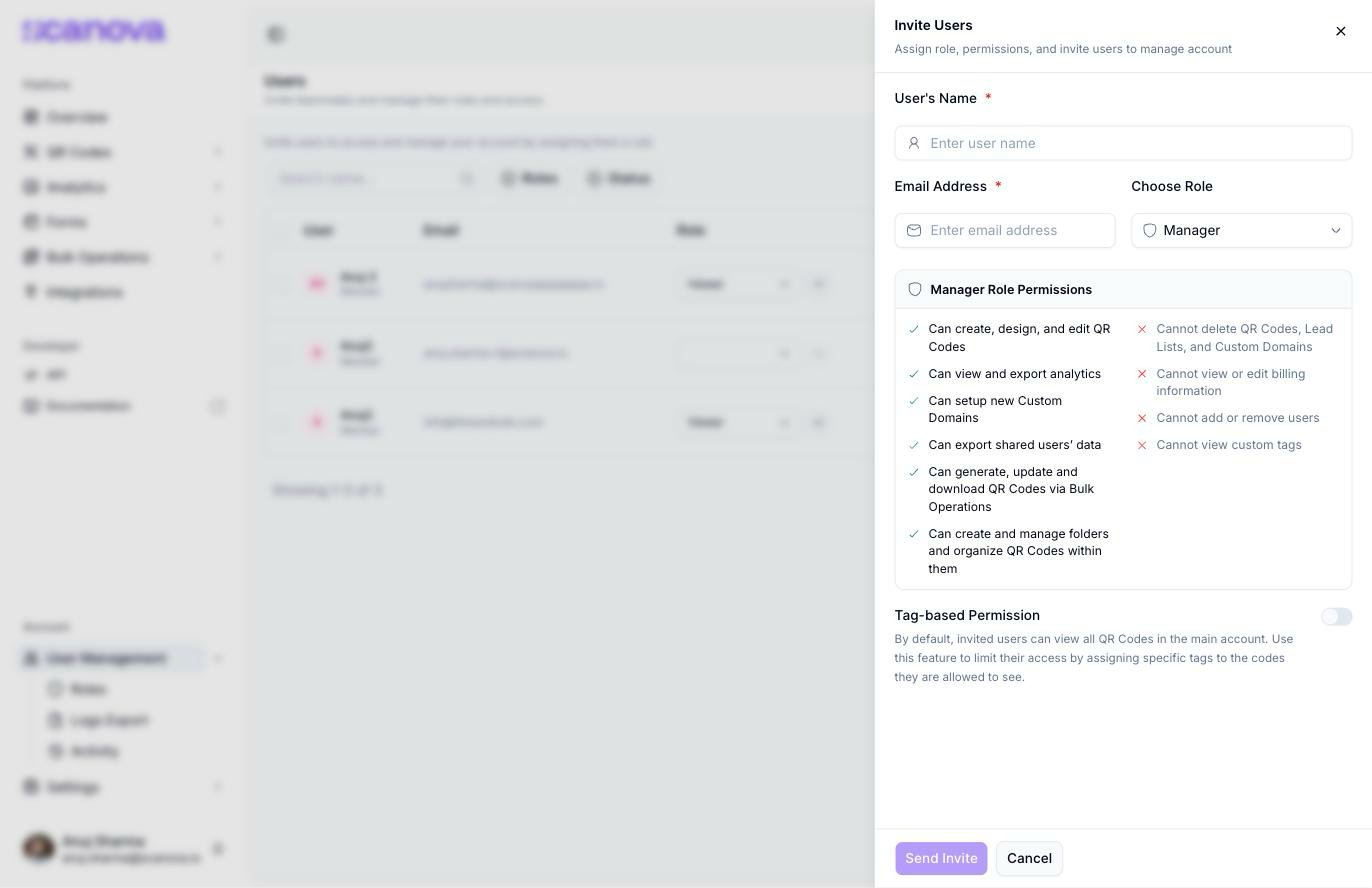
Live permission preview for the Manager role in the invite drawer
Full Access doesn’t show a Can/Cannot preview — selecting it in the invite drawer leaves the permissions panel empty. It’s a separate, unrestricted role distinct from the account Owner (the account you signed up with, which isn’t invited or assigned a role at all).
Viewing a role’s permissions
From the Users table, click the eye icon next to any teammate’s role to open a read-only View User Role drawer. For a default system role, every permission is grouped by category — QR Code, Pages, Tags, Analytics, Event Tracking, Integrations, and more — with each individual permission shown as a checked or unchecked checkbox, and a banner confirming the role can’t be edited: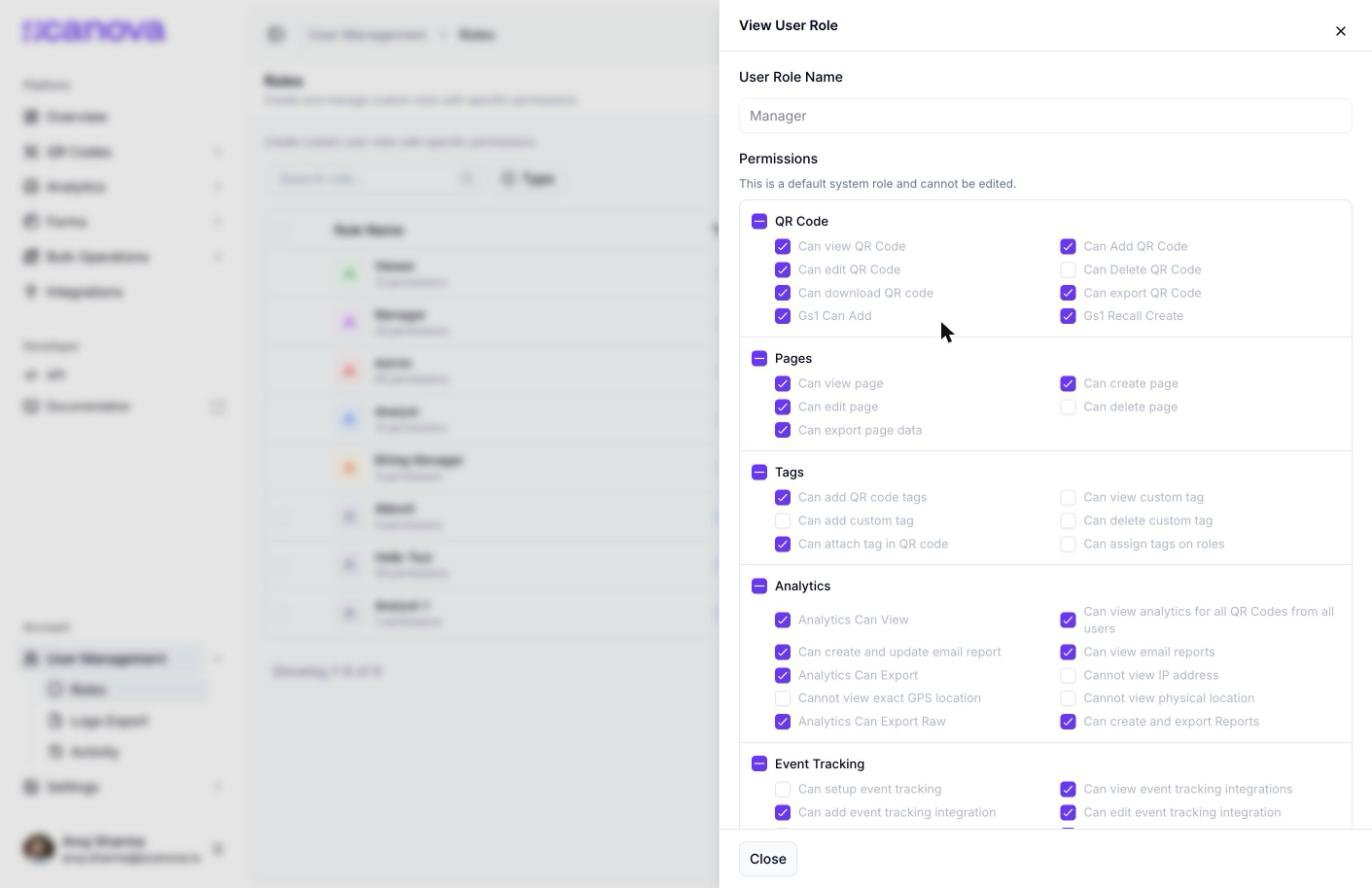
Read-only view of the built-in Manager role, showing its full permission breakdown grouped by category
Custom roles are plan-gated
Beyond the five default roles, an account can create fully custom roles with its own checkbox-per-permission selection, grouped by the same categories shown above. This is managed from the Roles tab (/users/user-roles), which lists every role — default and custom — with a Create Role button, plus a Type column (System or Custom) and a permission count per role.
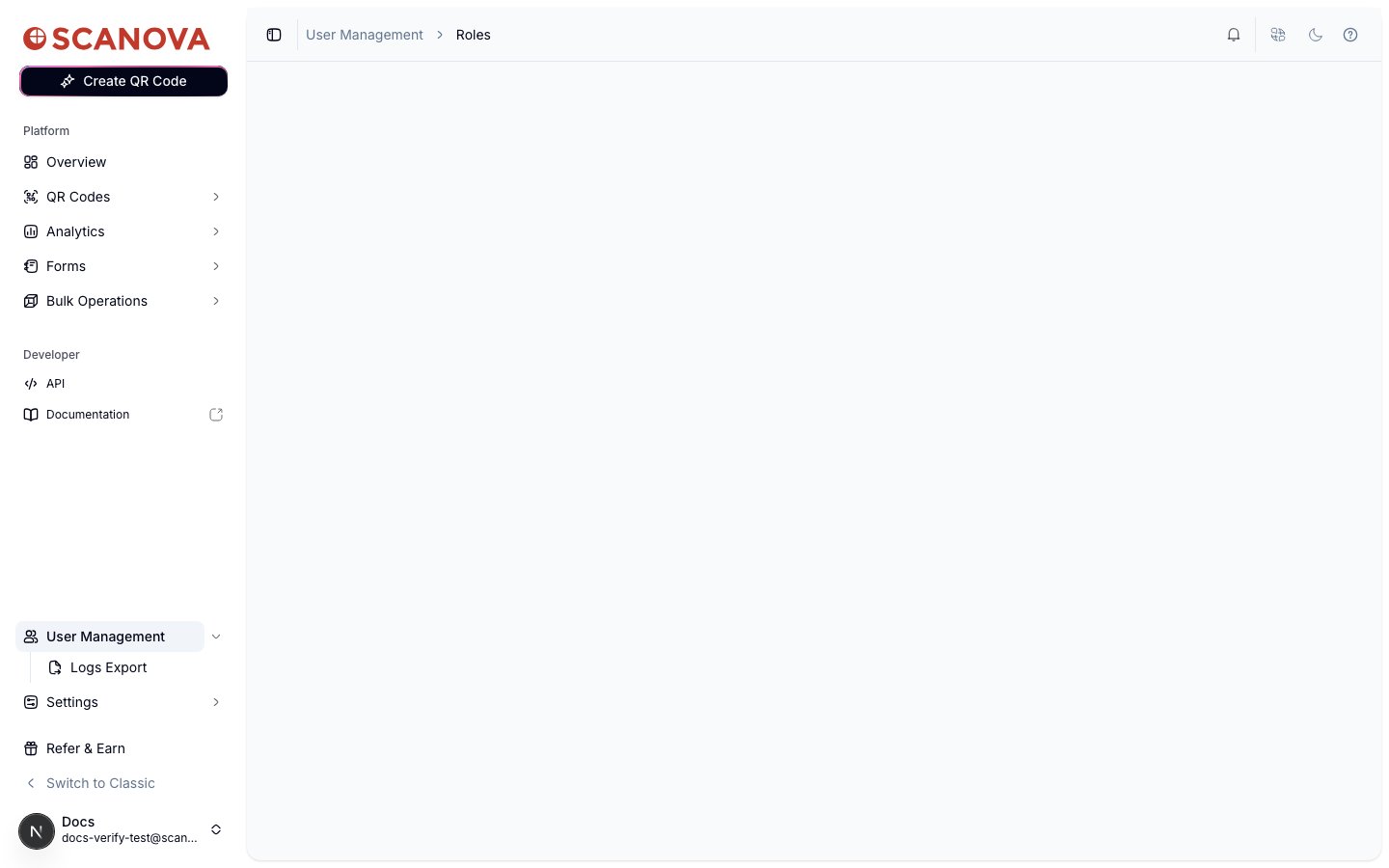
The Roles tab on an account without the custom-roles quota: a valid page load with an empty content area, no Create Role button, and no role table

The Create User Role drawer on an account with the custom-roles quota
Related
- Shared users — inviting teammates, assigning roles, and managing the Users table
- Upgrading your plan — custom roles are plan-gated; upgrading is how you unlock the quota that reveals the Roles tab